

UI Kits & Figma Files Templates & Assets Best Picks
Best Figma UI Kits in 2026: 8 Kits and Design Systems
The best Figma UI kits for 2026: Untitled UI, Material 3, Apple's iOS kit, Envato Elements, ThemeForest, UI8 and free files compared on price and license.
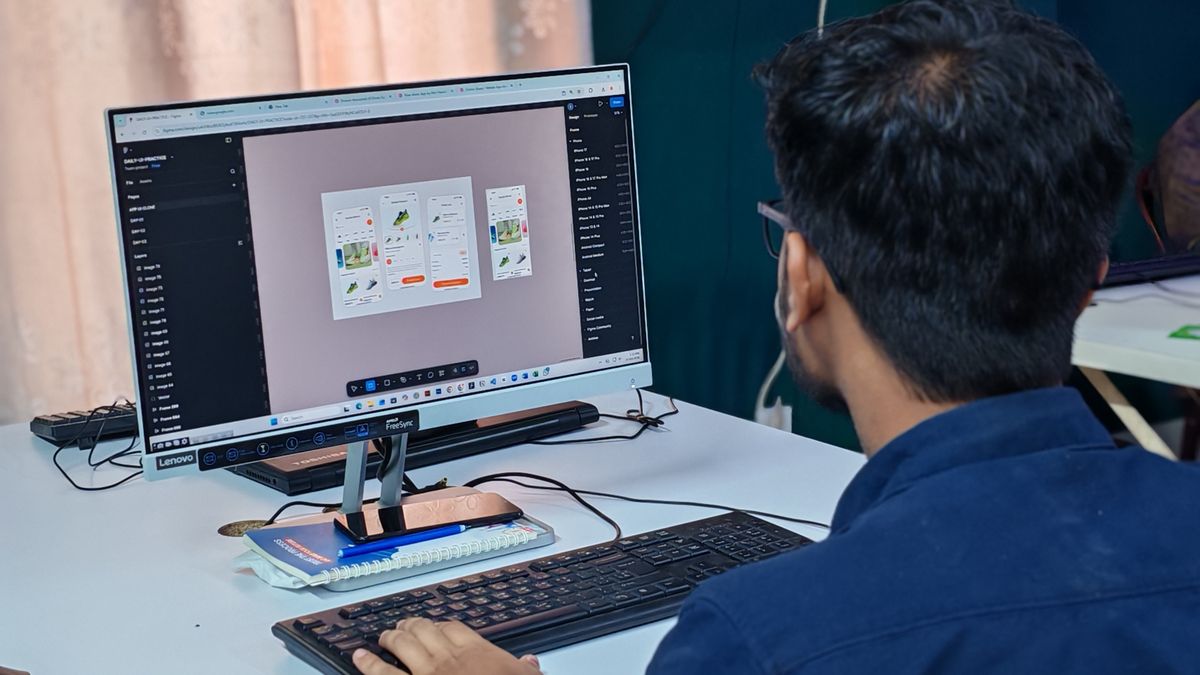
The best Figma UI kits save you weeks of work. Instead of drawing every button, input and card from scratch, you start with a full set of components, styles and page examples that already follow good design practice, then adapt them to your brand. A good kit also keeps a whole team consistent, which is where a UI kit starts to become a design system.
We compared eight of the best options for 2026, from premium design systems like Untitled UI to free official kits from Google and Apple, plus the marketplaces that sell thousands more. Here's what each costs, what's included and what the license allows, based on each provider's website as of November 2026.
Key takeaways
- Untitled UI is the best all-round Figma design system: a free version with 2,000+ components, or $129 once for 10,000+ components and lifetime updates.
- Designing for Android or iPhone? Start with the free official Material 3 Design Kit or Apple's iOS and iPadOS 27 kit.
- Envato Elements is the best value if you need many kits, with unlimited downloads from $16.50 a month.
- Free Figma Community files are usually licensed CC BY 4.0, which allows commercial use with credit.
Our top picks at a glance
The best Figma UI kits in detail
Untitled UI
Best overall Figma UI kit and design system- PriceFree, or $129 one-time (PRO SOLO)
- Components10,000+ in PRO
- Page examples420+ in PRO
- Teams$399 for up to 8 users
Untitled UI is built like a real design system rather than a pile of screens. The free version alone includes more than 2,000 components, 350+ global styles, 20+ page examples and 900+ icons. PRO adds Figma variables, light and dark mode, more than 10,000 components, over 420 page examples, 2,000+ icons and free lifetime updates.
PRO SOLO was $129 at the time of writing (listed down from $149) for one user, PRO STUDIO is $399 for up to eight users and PRO BUSINESS is $999 for up to 20. It's a one-time payment that you can use in unlimited projects, including commercial ones, and students get 50% off. If your developers work in React, a matching React component library styled with Tailwind CSS is sold separately, starting at $349 for one user.
Pros
- Generous free version
- Variables and dark mode built in
- Pay once, use in unlimited projects
Cons
- Team licenses get expensive
- Very large file to learn
- React code costs extra
Envato Elements
Best for designers who need lots of kits, icons and assets- PriceFrom $16.50 a month
- Library30+ million assets
- DownloadsUnlimited
- LicenseCommercial, per project
Envato Elements includes UI kits for mobile apps, admin dashboards and landing pages, many of them in Figma. The real value is everything else in the subscription: icons, illustrations, fonts, photos and mockups to fill your designs with realistic content. The Core plan starts at $16.50 a month at the time of writing, and students get 30% off Core.
Each download is licensed for one specific project, and that project stays covered after you cancel.
Pros
- Unlimited downloads
- Icons, fonts and photos included
- Licenses stay valid after canceling
Cons
- Quality varies between kits
- Some kits are Sketch or PSD only
- Ongoing monthly cost
ThemeForest Figma templates
Best for buying a single niche kit without a subscription- PriceOne-time, per item
- LibraryAbout 3,200 Figma templates
- Top sellerVuexy, about 1,300 sales
- LicenseRegular or extended
ThemeForest's UI Templates section has a dedicated Figma category with roughly 3,200 templates at the time of writing, sorted into niches such as retail, creative and admin. It's the place to look when you need something specific, like a food delivery app or a crypto dashboard, and want to pay once rather than subscribe. The all-time best seller in the Figma category is Vuexy, an admin dashboard kit by Pixinvent with about 1,300 sales.
Many ThemeForest kits also come with matching code, so designers and developers can work from the same system.
Pros
- Pay once, no subscription
- Huge range of niche kits
- Some kits have matching code
Cons
- Quality varies by author
- Regular license covers one end product
- Fewer sales data points than for themes
Material 3 Design Kit
Best free kit for Android and Material-based web apps- PriceFree
- Made byGoogle
- WhereFigma Community
- Works withMaterial Theme Builder plugin
Google's official Material 3 Design Kit is the starting point for any Android app or web product built on Material Design. You duplicate it from Google's Figma Community page and get Material components, color and type styles in your own file. It's designed to work with the Material Theme Builder plugin, which generates a full color scheme, including dark mode, from a single brand color. Google has also released an updated kit covering the newer M3 Expressive components.
Watch out for the many community remakes of the kit: some are excellent, but they aren't Google's own files.
Pros
- Free and official
- Matches Android's native look
- Theme Builder plugin for colors
Cons
- Designs can look generic unbranded
- Less suited to iOS-first apps
- Community copies can cause confusion
Apple Design Resources
Best free kits for iPhone, iPad, Mac, Watch and Vision Pro- PriceFree
- Latest kitiOS and iPadOS 27
- AlsomacOS 27, watchOS 26, visionOS 26
- FormatsFigma and Sketch
Apple publishes official UI kits for its platforms on its Design Resources page. At the time of writing the newest are iOS and iPadOS 27 and macOS 27, alongside watchOS 26 and visionOS 26, all available for Figma and Sketch. They contain Apple's system components, controls, bars and templates, so your mockups match what users will actually see on their devices.
Use them alongside Apple's Human Interface Guidelines, which explain how each component should behave.
Pros
- Free and official
- Always current with the latest iOS
- Covers every Apple platform
Cons
- Only for Apple platform designs
- Not a branded design system
- tvOS kit is Sketch only
UI8
Best for polished, trend-led app and web kits- PricePer item, or All-Access Pass
- Library14,000+ design assets
- Pass terms3 months, yearly or lifetime
- LicenseCommercial and client work
UI8 is a curated marketplace for product designers. Its Figma kits tend to be polished and on-trend, covering fitness apps, real estate, SaaS dashboards, wallets and more. Buy kits one at a time or get the All-Access Pass, which unlocks more than 14,000 assets for three months, a year or a lifetime; see UI8's pricing page for current prices, which change with frequent sales.
UI8 says everything you download is licensed for commercial use in client work, products and personal projects; you just can't reshare or resell the files. Each pass is for one person, so teams need a pass per designer.
Pros
- High-quality, modern designs
- Simple commercial license
- Lifetime pass option
Cons
- Individual kits can be pricey
- One pass per person
- Daily download limits on passes
Tailwind Plus
Best when your designs will be built in Tailwind CSS- Price$299 one-time (personal)
- Team$979 for 25 seats
- IncludesUI blocks, templates, Catalyst
- FormatCode (HTML, React, Vue)
Tailwind Plus, formerly Tailwind UI, is different from the other picks: it's production-ready code from the creators of Tailwind CSS, not a Figma file. Many product teams design directly from its marketing, application and ecommerce blocks, so developers get a component that already exists. It also includes the Catalyst UI kit for React and every Tailwind Plus site template.
A personal license is $299 once with lifetime access; a 25-seat team license is $979. Need a matching Figma file? Untitled UI's React components are also styled with Tailwind CSS.
Pros
- Official Tailwind CSS components
- One payment, lifetime updates
- Fastest path from design to code
Cons
- No official Figma file listed
- Best value only for Tailwind teams
- Higher upfront cost
Figma Community
Best place to find free UI kits and wireframes- PriceFree, some paid files
- Free licenseCC BY 4.0 by default
- Paid licenseUp to 5 editors
- AccessInside Figma
Figma Community is where companies, design system teams and independent designers publish files you can duplicate in one click: full design systems, wireframe kits, icon sets and app templates, many of them free.
Free Community files are published under the Creative Commons Attribution 4.0 license by default, which allows commercial use as long as you credit the creator. Creators can choose other licenses, so check each file. Paid Community files use Figma's paid resource license, which lets you share the file with up to five editors but not resell it.
Pros
- Thousands of free kits
- Opens directly in Figma
- Clear default license
Cons
- Quality is very mixed
- Many files are rarely updated
- Attribution expected on free files
Figma UI kits compared
| Kit or source | Best for | Price | License |
|---|---|---|---|
| Untitled UI | Product teams | Free / $129 once | Unlimited projects |
| Envato Elements | Many projects | From $16.50/mo | Per project, commercial |
| ThemeForest | Niche kits | Per item | Regular or extended |
| Material 3 Design Kit | Android, Material web | Free | Google's Community file |
| Apple Design Resources | iOS, iPadOS, macOS | Free | For Apple platform designs |
| UI8 | Polished app kits | Per item or pass | Commercial, one person |
| Tailwind Plus | Tailwind developers | $299 once | Unlimited projects |
| Figma Community | Free kits | Free / paid | CC BY 4.0 by default |
Prices are in US dollars before sales tax, checked in November 2026.
UI kit vs design system: what's the difference?
A UI kit is a set of ready-made components and screens. A design system adds design tokens (Figma variables for colors, spacing and type), documented rules and usually a matching code library. Untitled UI, Material 3 and Apple's kits work like design systems; most marketplace kits are UI kits for one product type. For a long-lived product with a team, start from a design system.
Free vs paid Figma UI kits
- Choose free (Material 3, Apple, Untitled UI Free, Figma Community) for native mobile apps, learning, prototypes and early-stage startups.
- Choose paid when you want thousands of variants, variables and dark mode already set up, page examples for every common screen, lifetime updates and a clear commercial license.
Can I use Figma UI kits commercially?
In most cases, yes, for your own product or a client's. The limits are about redistribution: almost no license lets you resell or share the kit file itself. Seats matter too: Untitled UI and UI8 licenses are per person, so a team needs a team license or one copy per designer. On ThemeForest, the regular license covers one end product; the extended license is for products sold to end users.
Outside the US: regional notes
- UK and EU: Envato, UI8 and Untitled UI charge in US dollars and add VAT where it applies. The European Accessibility Act has applied to many digital products sold in the EU since June 28, 2025, so favor kits with accessible color contrast and focus states.
- Canada and Australia: Prices are the same US dollar amounts, with GST or HST added where it applies.
- Worldwide: Apple's and Google's kits are free everywhere.
How to choose a Figma UI kit
- Start with your platform. Native iOS or Android apps should begin with Apple's or Google's official kits.
- Check for variables and auto layout. Modern kits use Figma variables for themes and dark mode, which saves hours later.
- Match the kit to your code. If developers use Tailwind CSS or React, a kit with matching components makes handoff much easier.
- Count your seats. Many licenses are per person, so budget for your whole team.
- Look at the update history. A kit updated for the latest Figma features is worth more than a bigger, abandoned one.
- Plan to publish it as a library. Sharing a kit as a team library needs a paid Figma plan.
Don't customize a kit screen by screen. Change its color, font and radius variables first, and the whole kit takes on your brand in minutes.
How we chose these picks
We looked at widely used premium design systems, the official free kits from Google and Apple, and the largest Figma UI kit marketplaces, comparing price, contents, updates and license terms from each provider's website and Figma's licensing documentation in November 2026. This guide is built from published information, not hands-on design tests. Prices change often, so check before you buy.
FAQ
What is the best Figma UI kit in 2026?
Untitled UI is the best all-round choice, with a generous free version and a $129 PRO license that includes 10,000+ components and lifetime updates. For native mobile apps, start with Google's Material 3 kit or Apple's iOS kit.
Are there good free Figma UI kits?
Yes. Google's Material 3 Design Kit, Apple's iOS and iPadOS kits and Untitled UI's free version are all excellent. Figma Community has thousands more.
Is Untitled UI worth it?
For freelancers and product teams who design often, yes. It's a one-time payment for unlimited projects with lifetime updates, and the free version lets you try it first.
Can I use free Figma Community files commercially?
Usually yes. Free files are licensed CC BY 4.0 by default, which allows commercial use with credit to the creator. Some creators choose different licenses, so check each file.
Is Envato Elements good for UI kits?
Yes, if you also need icons, fonts, photos and mockups. If you only need one kit, buying it on ThemeForest or UI8 may cost less.
Are Figma UI kits good for beginners?
Yes. Studying a well-built kit is a fast way to learn components, auto layout and variables. Start with a free one.
Ready to build your design? Browse HTML templates, our best WordPress themes or more UI kits, or hire our IT services. Also see the best-selling Figma templates on ThemeForest.
Sources: Untitled UI pricing; Envato Elements pricing; ThemeForest Figma templates; Material Design M3 design kit; Apple Design Resources; UI8 All-Access Pass; Tailwind Plus announcement; Figma Community licensing; Envato Market licenses. Checked November 2026.
 WordPress Themes
Best WordPress Themes in 2026: 9 Top Picks for Every Site
Avada, Flatsome, WoodMart, Enfold, The7, Uncode, Newspaper, Soledad and Houzez compared on price, page builder, sales and the kind...
Read article
 CDN & Edge
Best CDN Providers in 2026: 6 Picks Compared on Price
The best CDN for your site: Cloudflare, Bunny.net, Fastly, CloudFront, Akamai and Gcore compared on free tiers, per-GB pricing and...
Read article
 Web Hosting
Best Web Hosting in 2026: 5 Hosts Compared on Price
Hostinger, HostArmada, FastComet, hosting.com and InMotion Hosting compared on intro prices, renewal rates, backups, money-back gu...
Read article