

Mockups Templates & Assets Best Picks
Best Mockup Websites in 2026: 7 Top Places for Mockups
The best mockup websites for device, product and branding mockups: Envato Elements, Placeit, GraphicRiver, Creative Market, Canva and more, with prices.
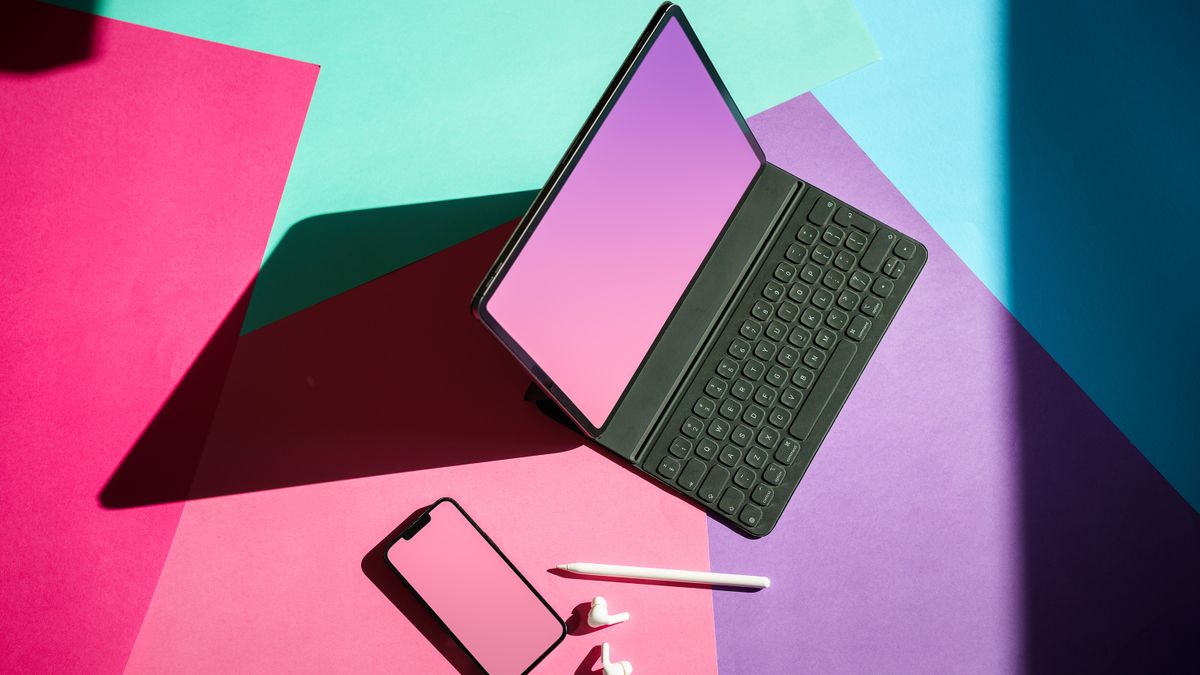
The best mockup websites let you show a logo on a coffee cup, an app on a phone or a T-shirt design on a real person in minutes, without a photo shoot. A good mockup makes a portfolio, client pitch or online store listing look finished, and it's often the difference between a design that sells and one that doesn't.
We compared seven of the most popular places to get device, product and branding mockups, from Photoshop (PSD) files you edit on your computer to online generators that work in a browser. Prices, library sizes and license terms come from each site's own pages as of November 2026.
Key takeaways
- Envato Elements is the best overall choice for designers: unlimited mockup downloads alongside fonts, graphics and templates, from $16.50 a month.
- Placeit, owned by Envato, is the best online mockup generator, with 160,000+ mockups you edit in a browser, no Photoshop needed.
- For one-off purchases, GraphicRiver has 22,700+ product mockups from about $4, and Creative Market has premium branding kits.
- Mockup World is the best source of free PSD mockups, but check each file's license.
Our top picks at a glance
The best mockup websites in detail
Envato Elements
Best for designers who need mockups and much more- PriceFrom $16.50/month (Core)
- Library30+ million assets
- DownloadsUnlimited (fair use)
- LicenseCommercial, per project
Envato Elements is the best value for anyone who uses mockups regularly. Its mockups section covers devices, packaging, apparel, print, signage and branding scenes, mostly as layered PSD files with smart objects, so you paste in your design and Photoshop does the rest. The same subscription includes fonts, graphics, stock photos and templates.
Core starts at $16.50 a month. The Plus plan at $39 adds 200 AI credits a month that can generate images, graphics and mockups. Each download is licensed for one project, including client work. After you cancel, licensed projects stay covered.
Pros
- Unlimited mockup downloads
- Fonts and graphics included
- Commercial and client use allowed
Cons
- Most mockups need Photoshop
- Each project must be registered
- No refunds on canceled plans
Placeit
Best for print-on-demand sellers and anyone without Photoshop- PriceUnlimited plan, about $7.50 to $8.33/mo yearly
- Mockups160,000+
- Works inWeb browser
- OwnerEnvato
Placeit, part of Envato, is a browser-based mockup generator. You upload your design, drag it onto a T-shirt, mug, phone, book cover or billboard, pick colors and download the image. It advertises more than 160,000 mockups aimed at print-on-demand sellers, plus logo, design and video templates. Thousands of templates are free, and the Unlimited plan removes all limits.
At the time of writing, the annual Unlimited plan worked out to $8.33 a month, with a first-year offer of $89.69 ($7.47 a month). Commercial use is included and you keep your downloads after canceling. Note the one-month minimum commitment if you download anything.
Pros
- No design software needed
- Huge apparel and merch range
- Free templates to start
Cons
- Less control than a PSD
- Many images look similar across sellers
- One-month minimum after downloads
GraphicRiver
Best for buying a single high-quality PSD mockup- PriceAbout $4 to $25 per item
- Mockups22,700+ product mockups
- PaymentOne-time
- LicenseRegular or Extended
GraphicRiver is Envato's pay-per-item marketplace. Its product mockups category lists more than 22,700 items, from iPhone and laptop sets to coffee bags, trade show booths and vehicle wraps. Items we saw ranged from about $4 to $25. It's ideal when you need one specific scene and don't want a subscription.
Pros
- Pay once, no subscription
- Niche scenes like vehicles and booths
- Ratings and comments on each item
Cons
- One license per end product
- Needs Photoshop for most files
- Adds up if you buy often
Creative Market
Best for stylish, premium branding and stationery mockups- PriceAbout $14 to $75 per product
- Mockups136,000+ products
- LicensesPersonal, Commercial, Extended
- PaymentOne-time
Creative Market is an independent marketplace known for polished, on-trend designs, and its mockup section lists more than 136,000 products. It's especially strong for branding presentations: stationery sets, social media scenes and large mockup bundles. Prices we saw ranged from $14 for a brand identity set to $75 for a big bundle.
Check the license tier. Personal is for non-commercial use only. Commercial covers up to 5,000 end products for sale and paid ads, and Extended Commercial raises that to 250,000 and adds apps.
Pros
- Very stylish branding scenes
- Large bundles available
- Clear license tiers
Cons
- Pricier than GraphicRiver
- Personal license excludes business use
- Mostly PSD files
Canva Mockups (formerly Smartmockups)
Best for social posts and fast previews inside Canva- PriceFree plan; Pro about $12/mo yearly
- Works inCanva, in the browser and apps
- FormerlySmartmockups
- Best forSocial and marketing images
Canva bought Smartmockups, and smartmockups.com now redirects to Canva's own mockups tool. If you already design in Canva, it's the fastest route: drop your design onto a device, print or apparel scene and keep editing in the same project. Premium mockups and other premium content need a paid plan. At the time of writing, Canva listed Pro at $12 a month billed yearly ($144) or $18 month to month in the US.
Pros
- No extra software
- Works on the Free plan
- Everything stays in one design tool
Cons
- Less realistic control than a PSD
- Best scenes need Pro
- Smaller choice than Placeit
Freepik (now Magnific)
Best for free PSD mockups plus stock and AI tools- PriceFree; Premium from about $14.50/mo yearly
- Library250M+ photos, vectors, PSDs, videos
- Free useCredit required
- ExtrasAI image tools
Freepik, which now operates as Magnific, has one of the largest collections of free PSD mockups on the web, alongside vectors, photos and AI tools. Free users get a daily download limit and must credit the author. Premium removes attribution, adds premium files and includes AI credits; at the time of writing it was listed from about $14.50 a month billed yearly in the US, and prices vary by region.
Pros
- Many free mockups
- Huge stock library
- AI generation included in paid plans
Cons
- Free use needs credit
- Daily download limits
- Pricing pages shift during the rebrand
Mockup World
Best for free, hand-picked PSD mockups- PriceFree
- FormatMostly PSD
- CoversDevices, packaging, posters, apparel
- LicenseCheck each mockup
Mockup World curates free mockups from designers around the web: iPhones, MacBooks, packaging, posters and apparel. Everything featured is free to download, and its own free PSD bundle can be used in personal and commercial projects. Because many mockups come from other creators, license terms vary, so read the terms on each download page before using a file for a client.
Pros
- Completely free
- Hand-picked quality
- Good device and print range
Cons
- Licenses vary by file
- Needs Photoshop
- Smaller choice than paid sites
Mockup websites compared
| Site | Best for | Price | Format |
|---|---|---|---|
| Envato Elements | Designers, agencies | From $16.50/mo | Mostly PSD |
| Placeit | Print-on-demand, no Photoshop | About $7.50 to $8.33/mo yearly | Online generator |
| GraphicRiver | One-off scenes | About $4 to $25 per item | Mostly PSD |
| Creative Market | Branding kits | About $14 to $75 per item | Mostly PSD |
| Canva Mockups | Quick social images | Free; Pro about $12/mo yearly | Online generator |
| Freepik (Magnific) | Free PSDs plus stock | Free; Premium from about $14.50/mo | PSD and online tools |
| Mockup World | Free PSDs | Free | PSD |
Prices are in US dollars before sales tax, as listed on each site in November 2026. Subscription prices assume yearly billing unless stated.
PSD mockups vs online mockup generators
PSD mockups are layered Photoshop files. You double-click a smart object, paste your design and save, and the file handles perspective, shadows and lighting. They give you full control over color, background and resolution, which matters for portfolios and client presentations. You'll need Photoshop or a compatible editor such as Photopea.
Online generators like Placeit and Canva run in your browser. You upload a design, choose a scene and download a finished image in a minute or two. They're faster and need no software skills, which is why print-on-demand sellers love them, but you get less control over the final image.
- Choose PSD for brand presentations, portfolios and anything that needs a custom, high-resolution look.
- Choose an online generator for store listings, social posts and quick client previews.
Mockup licensing: what you can and can't do
Paid mockup licenses generally let you show your own or your client's design in the mockup and publish the result in portfolios, ads, store listings and social media. What you can't do is resell or give away the mockup file itself, even with changes. Free mockups often carry extra limits, such as credit requirements or personal use only, so read the terms on each download page. Mockups showing real devices or branded products may also include trademarks, so avoid implying that the brand endorses you.
Outside the US: regional notes
- UK and EU: Most of these sites charge in US dollars and add VAT at checkout. Canva and Freepik show local-currency prices in many countries.
- Canada and Australia: Expect US dollar pricing with GST or HST added where it applies.
- Print-on-demand sellers everywhere: Placeit's mockups work for any marketplace, since you simply upload the finished image.
How to choose a mockup website
- Decide between PSD and online. If you don't own Photoshop, start with Placeit or Canva.
- Count how many you need. One or two mockups a year? Buy single items. Several a month? A subscription is cheaper.
- Check the resolution. Print and portfolio work needs large, high-resolution files.
- Read the license. Make sure it covers commercial and client work if you need it.
- Look for smart objects. Good PSDs let you swap designs in seconds and change backgrounds and colors.
- Avoid overused scenes. A less common setting helps your work stand out.
The best mockup is the one that matches where your design will really live. Show a menu on a café table, not on a random marble desk.
How we chose these picks
We looked at the most popular paid and free sources of device, product and branding mockups and compared library size, format, pricing and license terms using each site's own pages in November 2026. This is a comparison guide built from published information, not hands-on testing. Prices and plans change often, so check the site before you buy.
FAQ
What is the best mockup website?
Envato Elements is the best overall for designers who want unlimited PSD mockups plus fonts and graphics. Placeit is the best if you want to make mockups in a browser without Photoshop.
Can I use free mockups commercially?
Sometimes. Many free mockups allow commercial use, but some are personal use only or require credit. Always check the license on the download page.
Is Placeit worth it?
Yes, for print-on-demand sellers and small businesses that need many product images fast. Designers who want full control usually prefer PSD mockups.
Do I need Photoshop for mockups?
For PSD mockups, yes, or a compatible editor like Photopea. Online generators like Placeit and Canva need no software at all.
What happened to Smartmockups?
Canva bought Smartmockups, and its website now redirects to Canva's mockups tool.
Can I use mockups in client work?
Usually yes with a paid license. Envato Elements covers client projects, and GraphicRiver and Creative Market licenses cover a set number of end products.
Want more design resources? Browse our mockups and graphics and icons sections, compare asset subscriptions, or see our free resources. You can also browse all assets on Envato Elements.
Sources: Envato Elements pricing, Envato Elements mockups, GraphicRiver product mockups, Envato Market licenses, Placeit pricing, Creative Market licenses, Canva pricing, Magnific (formerly Freepik) pricing and Mockup World. Checked November 2026.
 WordPress Themes
Best WordPress Themes in 2026: 9 Top Picks for Every Site
Avada, Flatsome, WoodMart, Enfold, The7, Uncode, Newspaper, Soledad and Houzez compared on price, page builder, sales and the kind...
Read article
 CDN & Edge
Best CDN Providers in 2026: 6 Picks Compared on Price
The best CDN for your site: Cloudflare, Bunny.net, Fastly, CloudFront, Akamai and Gcore compared on free tiers, per-GB pricing and...
Read article
 Web Hosting
Best Web Hosting in 2026: 5 Hosts Compared on Price
Hostinger, HostArmada, FastComet, hosting.com and InMotion Hosting compared on intro prices, renewal rates, backups, money-back gu...
Read article