

Stock Video Templates & Assets Best Picks
Best Stock Video Sites in 2026: 9 Picks for 4K Footage
The best stock video sites for 4K footage compared: Envato Elements, Storyblocks, Artgrid, Adobe Stock, Pond5 and free Pexels and Mixkit, with license tips.
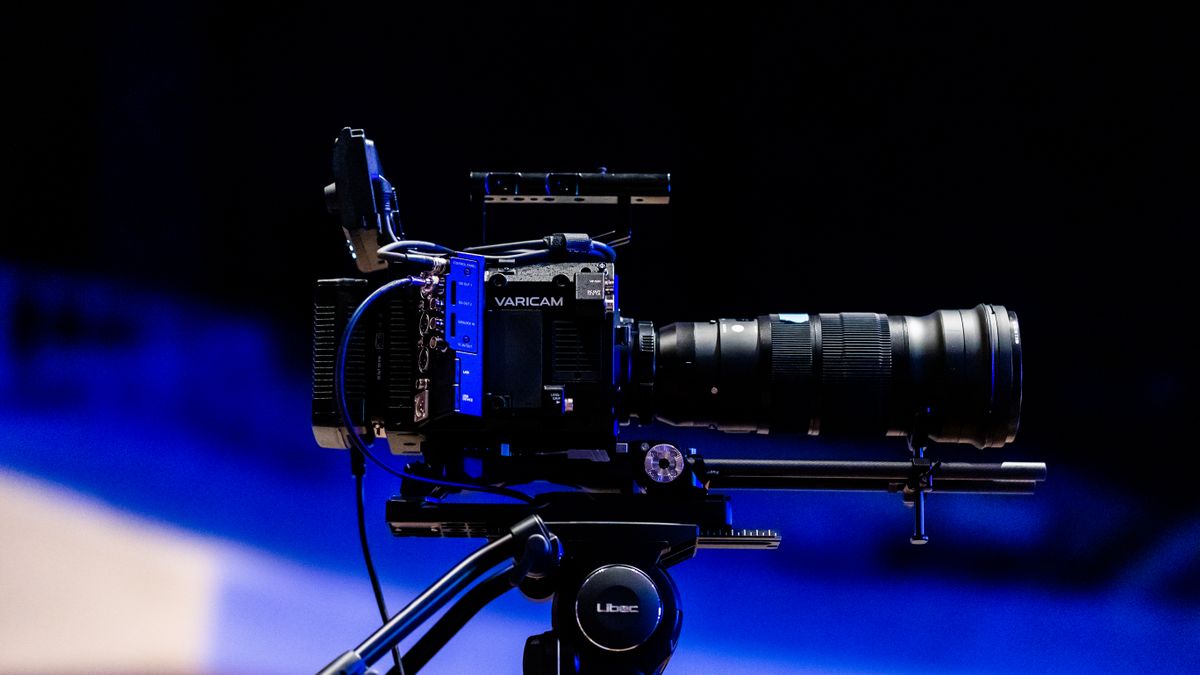
The best stock video sites give YouTubers, marketers and editors cinematic 4K footage for a fraction of what a day of filming costs. But pricing is confusing: some sites charge $39 or more per clip, others offer unlimited downloads for under $20 a month, and a YouTube license may not cover a TV ad.
We compared nine popular paid and free stock footage sites and grouped them by what they do best. Prices, resolutions and license terms come from each site's own pricing, license and help pages as of November 2026, in US dollars.
Key takeaways
- Envato Elements is the best value for most creators: unlimited HD and 4K footage plus music, sound effects and video templates from $16.50 a month on an annual plan.
- Storyblocks is a strong unlimited alternative with 8K and 4K in every plan, but its Individual license covers only projects published while you're subscribed.
- Artgrid, now part of Artlist, is the pick for cinematic footage, with RAW and LOG files available as an upgrade.
- Pexels Videos and Envato-owned Mixkit offer free 4K clips for commercial use with no attribution required.
Our top picks at a glance
The best stock video sites in detail
Envato Elements
Best unlimited stock video subscription for creators- PriceFrom $16.50/mo (annual)
- DownloadsUnlimited stock assets
- ResolutionHD and 4K
- Also includesMusic, SFX, video templates
Envato Elements gives you unlimited downloads of HD and 4K stock footage from a library of more than 30 million creative assets, and the same plan covers royalty-free music, sound effects and video templates for Premiere Pro, After Effects, Final Cut Pro and DaVinci Resolve.
Plans start at $16.50 a month for Core on an annual plan, with Plus from $39 and Ultimate from $168 a month for heavy AI use. Each download is licensed to one project you register, and you can register the same clip again for a new project. If you cancel, projects you already registered stay covered.
Pros
- Unlimited 4K footage downloads
- Music, sound effects and templates included
- Registered projects stay covered after you cancel
Cons
- Each new project needs a license registration
- No RAW or LOG footage
- Lowest price needs an annual plan
Storyblocks
Best unlimited plan for channels that publish constantly- Essentials$21/mo billed annually
- All Access$30/mo billed annually
- Resolution8K, 4K and HD
- YouTube1 channel on Individual
Every Storyblocks plan includes unlimited downloads of 8K, 4K and HD footage, plus video templates and photos. Essentials costs $21 a month billed annually, and Unlimited All Access, which adds music, sound effects and voiceover, costs $30. At the time of writing, both annual plans were 20% off, at $16.80 and $24 a month.
The catch is the license. Individual and Small Business licenses cover only projects you publish while you're subscribed, cover one YouTube channel and exclude TV, broadcast, streaming and OTT. The Business plan adds broadcast rights, multiple channels, perpetual use and up to $1 million in indemnification.
Pros
- Unlimited downloads up to 8K
- Helps you avoid YouTube Content ID claims
- Clear plan for small businesses
Cons
- No perpetual use on Individual plans
- Essentials has no music
- Broadcast needs the Business plan
Artgrid by Artlist
Best for filmmakers who want cinematic, color-gradable footage- PriceArtlist Max from $29.99/mo (annual)
- ResolutionUp to 8K
- RAW and LOG+$20/mo upgrade
- LicensePerpetual for downloads
Artgrid is Artlist's stock footage library, known for footage shot like a film rather than a corporate video. Artlist now bundles footage into its plans; the all-in-one Artlist Max plan starts at $29.99 a month billed annually and includes stock footage up to 8K. RAW and LOG files, which give colorists far more room to grade, are available as a $20-a-month upgrade.
Artlist says footage downloaded while you're subscribed can be used in any number of projects, in perpetuity.
Pros
- Truly cinematic footage
- RAW and LOG options for grading
- Perpetual use of downloads
Cons
- RAW and LOG cost extra
- Smaller library than the big agencies
- Plan names and bundles change often
VideoHive stock footage
Best for buying individual clips without a subscription- PriceFrom about $6 per clip
- Typical priceAbout $8 to $22
- Categories26, from drone to time lapse
- OwnerEnvato Market
VideoHive is Envato's marketplace for video, and its stock footage section is the cheapest way to buy a few specific clips outright. Prices are set per clip: at the time of writing, listings ranged from about $6 to over $180, with most clips around $8 to $22 and premium 4K drone shots costing more.
Footage is organized into 26 categories including business, people, nature, city, overhead, time lapse and slow motion. You pay once, with no subscription or expiring credits.
Pros
- Low per-clip prices
- No subscription needed
- Huge range of everyday footage
Cons
- Costs add up for heavy users
- Quality varies by author
- Separate license for each clip
Adobe Stock
Best for editors who work in Premiere Pro and After Effects- PriceFrom $29.99/mo
- Video1 clip/mo on entry plan
- 4KSame price as HD in subscriptions
- Library900+ million assets
Adobe Stock's big advantage is the workflow: you can search footage inside Premiere Pro and After Effects, edit with a watermarked preview, then license the clip and have it swap in automatically. Since 2024, subscriptions include 4K video at the same price as HD.
The entry $29.99-a-month plan includes 10 standard assets or one video a month, so it's best for occasional footage needs. Heavier users can buy credit packs, where an HD or 4K clip costs 8 to 20 credits. Annual plans billed monthly carry an early-cancellation fee.
Pros
- Built into Adobe video apps
- 4K at HD prices on subscriptions
- Very large library
Cons
- Few video downloads on entry plan
- Credit costs vary by clip
- Early-cancellation fee
Shutterstock
Best for brands and agencies with a steady footage budget- Video plan$59/mo (billed yearly)
- Downloads5 to 20 clips/mo
- ResolutionOne price for every resolution
- All-in-oneUnlimited Plus, $69/mo
Shutterstock's footage library is one of the broadest available. Its video subscription starts at $59 a month billed yearly ($708) for 5 to 20 clips a month, with one price for every available resolution, so 4K costs no more than HD. The Unlimited Plus plan bundles images, video, music and AI generations for $69 a month billed yearly.
Pros
- Broad, well-tagged library
- 4K at no extra cost
- Bundle with images and music
Cons
- Download caps on the video plan
- Best prices need annual billing
- Pricier per clip than unlimited sites
Pond5
Best for hard-to-find clips and broadcast licenses- Per clipFrom $39
- Footage Plus$199/mo or $999/yr
- Library190+ million assets
- License upgradesBusiness +$149, Premium +$299
Pond5 is a huge marketplace where contributors set their own prices, so it's often where producers find the specific, unusual shot no subscription library has. Video starts at $39 per clip with no commitment, and the standard Individual license is included in the displayed price. Business (+$149) and Premium (+$299) upgrades extend coverage for bigger commercial and broadcast projects.
Regular buyers can prepay with credit packs from $250 (valid for a year) or choose Footage Plus at $199 a month or $999 a year for 10 downloads a month.
Pros
- Enormous, varied library
- Clear license upgrade path
- Pay as you go or subscribe
Cons
- Expensive per clip
- Prices vary widely by contributor
- Credits and subscriptions can't be combined
Pexels Videos
Best free stock video for social posts and B-roll- PriceFree
- AttributionNot required
- Ads and marketingAllowed
- Also offersFree photos
Pexels is best known for free photos, but it's also a large free source of HD and 4K clips. Its license covers videos too: you can use and edit clips for free, including in ads, without attribution.
Mind the limits: identifiable people can't be shown in a bad light, and you can't imply that people or brands endorse your product.
Pros
- Completely free
- Commercial use allowed
- Good everyday B-roll
Cons
- No legal indemnity
- Popular clips are overused
- Patchy coverage of niche topics
Mixkit
Best free clips, music and templates, from Envato- PriceFree
- Clips46,000+ stock videos
- Sign-upNot required
- OwnerEnvato
Mixkit is a free resource site run by Envato. It offers more than 46,000 free stock video clips, including a 4K section, plus free music, sound effects and video templates. Downloads need no sign-up and no attribution.
Most items use the Mixkit Free License, which allows commercial and non-commercial projects.
Pros
- Free with no account needed
- 4K clips available
- Free music and templates too
Cons
- Much smaller library than paid sites
- Check the license on each item
- No legal indemnity
Stock video sites compared
| Site | Best for | Starting price | Max resolution |
|---|---|---|---|
| Envato Elements | Unlimited footage plus extras | $16.50/mo (annual) | 4K |
| Storyblocks | High-volume YouTube | $21/mo (annual) | 8K |
| Artgrid by Artlist | Cinematic footage | $29.99/mo (annual) | 8K, RAW/LOG extra |
| VideoHive | Single clips | About $6 per clip | Varies by clip, often 4K |
| Adobe Stock | Premiere Pro editors | $29.99/mo | 4K |
| Shutterstock | Brands and agencies | $59/mo (billed yearly) | 4K |
| Pond5 | Specialist and broadcast | $39 per clip | Varies by clip |
| Pexels Videos | Free B-roll | Free | 4K |
| Mixkit | Free, no sign-up | Free | 4K |
Prices are US prices before sales tax, checked in November 2026. Storyblocks prices are regular annual rates.
How much does 4K stock footage cost?
Most subscriptions now treat 4K like HD:
- Unlimited plans: Envato Elements and Storyblocks include 4K at no extra cost, so a heavy user can pay well under $1 per clip.
- Capped subscriptions: Adobe Stock subscriptions price 4K the same as HD, and Shutterstock's video plan charges one price for every resolution.
- Pay per clip: VideoHive clips start around $6, while Pond5 starts at $39. On marketplaces, authors set the price, and 4K or drone shots often cost more.
- Beyond 4K: Storyblocks and Artlist offer 8K, and Artlist sells RAW and LOG footage for serious color grading.
Licenses for YouTube, social and ads
All nine sites allow stock footage in monetized YouTube videos and social posts, but the details differ, and they matter more than the price:
- Subscription vs perpetual use: Envato Elements keeps registered projects covered after you cancel, and Artlist says downloads can be used in perpetuity. Storyblocks Individual and Small Business plans cover only projects published while you're subscribed.
- Number of channels: Storyblocks Individual covers one YouTube channel; its Business plan covers multiple channels.
- Ads and broadcast: online ads are generally covered by standard licenses. TV, streaming, OTT and feature films often need a higher tier, such as Storyblocks Business or a Pond5 Business or Premium upgrade.
- Content ID claims: keep your license or download receipt so you can dispute a claim quickly.
Outside the US: regional notes
- UK and EU: VAT is added at checkout, and Adobe and Storyblocks show prices in local currency in many countries. If your video runs on TV or a streaming channel, make sure your license covers broadcast in that territory.
- Canada and Australia: most sites bill in US dollars, with GST or HST added where it applies.
How to choose a stock video site
- Estimate your monthly clip count. More than five or six clips a month usually makes an unlimited plan cheaper than buying clips one by one.
- Check what happens when you cancel. If your videos stay online for years, prefer a license that keeps covering them.
- Match the license to where your video runs. YouTube and social are easy; TV, streaming and large ad campaigns need higher tiers.
- Think about the whole edit. If you also need music and templates, a bundle like Envato Elements saves money.
- Look at the footage style. Corporate explainer, documentary and cinematic films each suit different libraries.
Stock footage looks most natural when you trim it tightly, match its color grade to your edit and mix it with some original shots.
How we chose these picks
We compared the most widely used paid and free stock video sites on price, pricing model, resolution, license terms and extras such as music and templates, using each provider's own pricing, license and help pages in November 2026. This guide is built from published information, not hands-on testing, and prices change often, so check before you buy.
FAQ
What is the best stock video site in 2026?
Envato Elements is the best value for most creators, with unlimited 4K footage plus music, sound effects and templates. Storyblocks is a strong alternative for high-volume YouTube channels, and Artgrid is best for cinematic footage.
Where can I get free stock video for commercial use?
Pexels Videos and Mixkit both offer free clips you can use commercially without attribution. Check the license on each item, and avoid using identifiable people in ways that imply an endorsement.
Can I use stock footage in monetized YouTube videos?
Yes. All the sites on this list allow it under their standard licenses. Keep your license records in case of a Content ID claim, and check whether coverage continues after you cancel a subscription.
Is Storyblocks or Envato Elements better?
Envato Elements is better value if you also want templates and graphics, and registered projects stay covered after you cancel. Storyblocks offers 8K and a Business plan for broadcast.
Is Mixkit really free?
Yes. Mixkit is run by Envato and its clips can be downloaded free with no sign-up or attribution. Most items use the Mixkit Free License, which allows commercial projects.
Need images too? See our stock photo guides, or explore video templates and music and sound effects for your next edit. Ready to start? Browse stock video on Envato Elements.
Sources: Envato Elements pricing, Envato Elements stock video, VideoHive stock footage, Storyblocks pricing, Storyblocks license, Artlist pricing, Adobe Stock plans, Adobe Stock 4K announcement, Shutterstock video pricing, Pond5 pricing, Pexels License, Mixkit. Checked November 2026.
 WordPress Themes
Best WordPress Themes in 2026: 9 Top Picks for Every Site
Avada, Flatsome, WoodMart, Enfold, The7, Uncode, Newspaper, Soledad and Houzez compared on price, page builder, sales and the kind...
Read article
 CDN & Edge
Best CDN Providers in 2026: 6 Picks Compared on Price
The best CDN for your site: Cloudflare, Bunny.net, Fastly, CloudFront, Akamai and Gcore compared on free tiers, per-GB pricing and...
Read article
 Web Hosting
Best Web Hosting in 2026: 5 Hosts Compared on Price
Hostinger, HostArmada, FastComet, hosting.com and InMotion Hosting compared on intro prices, renewal rates, backups, money-back gu...
Read article