

Image Generation AI & LLMs How-To
How to Spot AI-Generated Images and Deepfakes in 2026
Learn how to spot AI-generated images and deepfakes: visual tells, Content Credentials, SynthID, reverse search, detection tools and what US law now says.
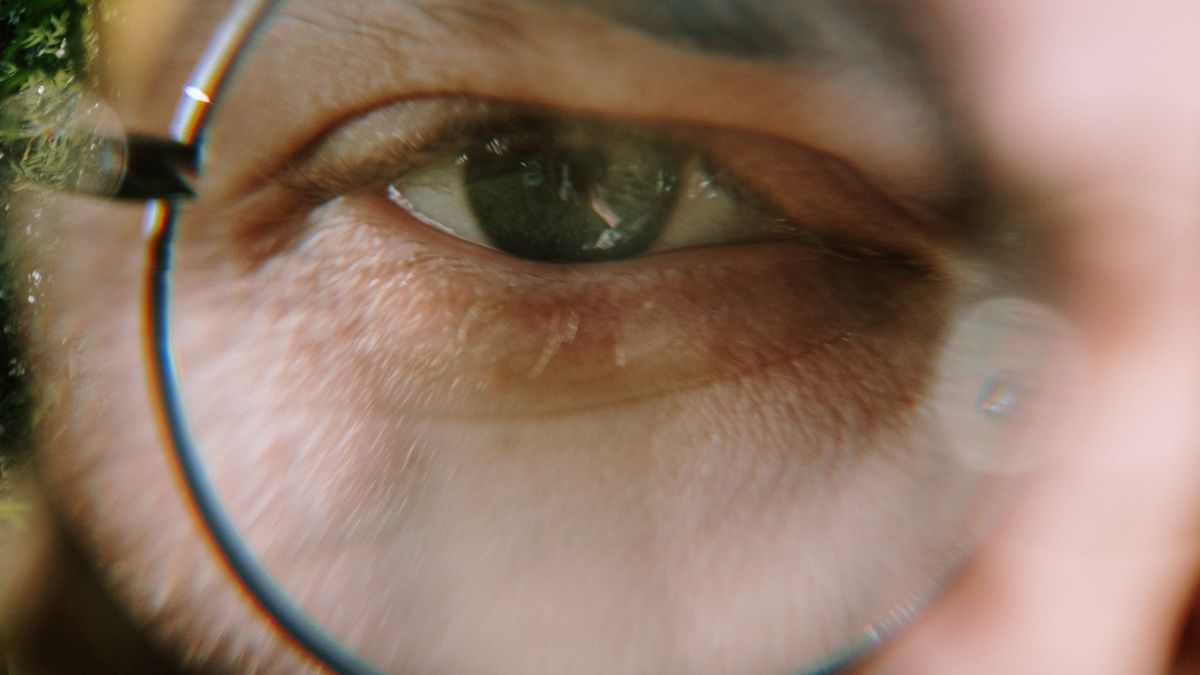
If you want to know how to spot AI generated images in late 2026, here's the honest answer: you mostly can't do it by eye anymore. The six-fingered hands and melted text that gave away early AI pictures are largely gone. What works now is a short routine of checks that look at where an image came from, not just what it looks like.
That routine takes about two minutes: check for Content Credentials, run a watermark check like Google's SynthID, do a reverse image search, look at the metadata, and only then study the pixels. No single step is proof. Together they'll catch most fakes you'll run into on social media, in your inbox or in a scam call.
Below is a numbered checklist you can save, followed by how each method works, where it fails, and what US law now says about harmful deepfakes.
Key takeaways
- Visual tells still help, but newer AI models have fixed most of them. Treat a "clean" image as unverified, not real.
- Content Credentials (C2PA) and Google's SynthID watermark are the strongest signals when present. Their absence proves nothing.
- Reverse image search is the most useful free check: find the earliest copy and the original context.
- For voice and video scams, verify the person through a second channel. The FBI recommends a family code word.
- The federal TAKE IT DOWN Act now requires platforms to remove nonconsensual intimate images, including AI fakes, within 48 hours of a valid request.
The 10-step checklist to spot AI-generated images and deepfakes
- Pause before you share. Fakes spread because they trigger anger, fear or urgency. If an image makes you want to react right now, that's your cue to check it.
- Look for a Content Credentials label. Some sites and apps show a small "CR" icon or an "AI info" label. Click it to see how the file was made.
- Upload it to a Content Credentials inspector. The free verify tool at contentcredentials.org reads C2PA data that some apps and cameras embed.
- Ask Gemini if Google AI made it. Google's SynthID check finds invisible watermarks in images, video and audio created or edited with Google's models.
- Run a reverse image search. Use Google Lens, TinEye or Bing Visual Search to find older copies, the original source and fact-checks.
- Read the metadata. Camera model, date and editing software can support or undercut a story. Missing data is common and not suspicious on its own.
- Zoom in on the details. Check text, hands, jewelry, reflections, shadows, ears, teeth and background objects for things that don't add up.
- Check the context. Does the weather, location, clothing or event match what's known from other sources on that date?
- Use a detection tool as one signal. AI detectors give probabilities, not verdicts, and they're often wrong on new models or compressed images.
- For calls and video, verify out of band. Hang up and call back on a number you know, or ask for your family's code word.
Visual tells, and why they're fading
In its December 2024 warning about AI-powered fraud, the FBI listed the classic giveaways: distorted hands or feet, unrealistic teeth or eyes, indistinct faces, odd accessories like glasses or jewelry, inaccurate shadows, and in video, lag, mismatched voices and unnatural movement. Those are still worth checking. The problem is that each new generation of image models fixes a few more of them.
In 2026, the tells that still show up most often are subtle:
- Text in the background. Main headlines usually render cleanly now, but small signs, labels, license plates and book spines often turn into near-words.
- Physics and logic. Shadows pointing different ways, reflections that don't match the scene, earrings that differ left to right, fences or railings that merge into each other.
- Too-perfect surfaces. Skin with no pores, glossy "studio" lighting in a supposed phone snapshot, crowds where every face is oddly similar.
- Edges. Hair blending into the background, glasses fused into skin, fingers merging with objects they're holding.
Use these as reasons to dig deeper, not as proof. Real photos have compression artifacts, beauty filters and odd lighting too, and accusing a real photo of being fake can hurt real people.
Stop asking "does this look fake?" Start asking "where did this come from, and can I find the original?"
Check Content Credentials (C2PA)
Content Credentials are a kind of nutrition label for digital files. They're built on an open standard from the Coalition for Content Provenance and Authenticity (C2PA), whose steering committee includes Adobe, Amazon, the BBC, Google, Meta, Microsoft, OpenAI, Sony, TikTok and Truepic. When a tool or camera supports the standard, it attaches a signed record of how the file was created and edited, including whether AI was involved.
OpenAI's image tools, Adobe Firefly and several other generators add these credentials to their output, and some recent cameras and phones, including Google's Pixel 10 series, add them to real photos. That second part matters: a signed record from a camera is good evidence a photo is authentic.
How to check
- Look for a small "CR" icon or an "AI info" or "Made with AI" label on the post.
- Download the original file if you can, not a screenshot.
- Drop it into the Content Credentials verify tool (contentcredentials.org/verify, which now redirects to Adobe's Content Authenticity site).
- Read the history: the app or device that created it, any edits, and whether a generative AI tool was used.
The big limitation: credentials are easy to lose. Screenshots strip them, and many platforms remove metadata on upload. So a missing label tells you almost nothing. A present, valid label tells you a lot.
Use Google's SynthID detector
SynthID is Google's invisible watermark. It's embedded in images, video, audio and text made with Google's AI models, and it's designed to survive cropping, filters and compression better than metadata does. Google said in May 2025 that more than 10 billion pieces of content had already been watermarked.
The easiest way to check is inside the Gemini app. Upload the file and ask whether it was created or edited with Google AI. According to Google's help page, the check works on images, videos under 90 seconds and audio under an hour, with files up to 100 MB. You get roughly 10 checks of each type per rolling 24 hours, and you need to be signed in.
Know what the result means. A positive result means all or part of the file came from Google's AI. A negative result only means it wasn't made with Google's tools, so a Midjourney or open-source image will come back clean. Very simple images or tiny edits can also give unclear answers. Journalists and researchers can apply for Google's separate SynthID Detector portal, which highlights which parts of a file are most likely watermarked.
Reverse image search and context checks
This is the check professional fact-checkers use first, and it's free. Upload the image or paste its link into one of these:
- Google Lens (in Chrome, the Google app or images.google.com). Look at "About this image" for when Google first indexed it, how other sites describe it and any AI labels in its metadata.
- TinEye, which is good at sorting results by oldest first.
- Bing Visual Search, a useful second opinion with a different index.
You're trying to answer three questions: when did this first appear, who posted it, and does the original context match the claim? A "breaking news" photo that first appeared on an AI art account months ago answers the question for you. For video, take screenshots of a few key frames and search those.
Read the metadata
Photos from real cameras usually carry EXIF data: camera model, lens, exposure and timestamp. Many AI tools leave that blank or write their own fields, and some add an IPTC "digital source type" tag that marks the file as AI-generated. You can view this with a free online EXIF viewer, the file properties on your computer (right-click, then Properties on Windows or Get Info on a Mac), or the free command-line tool ExifTool.
Two cautions. Metadata is easy to strip, so its absence means little. And it's easy to fake, so treat a convenient camera model in a suspicious image with skepticism.
AI detection tools and their limits
Commercial detectors such as Hive, Sightengine and Reality Defender analyze pixels for statistical patterns that AI models leave behind. They can be helpful, but they have real limits:
| Method | What it catches | Cost | Main weakness |
|---|---|---|---|
| Content Credentials (C2PA) | Files from tools and cameras that sign their output | Free | Stripped by screenshots and many uploads |
| SynthID check in Gemini | Images, video and audio made or edited with Google AI | Free, daily limits | Can't see other companies' AI |
| Reverse image search | Recycled, miscaptioned or older images | Free | New fakes have no earlier copies |
| Metadata viewers | Camera data, editing software, AI tags | Free | Easy to remove or forge |
| AI detectors | Statistical traces of generation | Free tiers to paid plans | False positives, weak on new models and compressed files |
| Your own eyes | Logic errors, garbled text, bad physics | Free | Newer models avoid most tells |
Our advice: never rely on a single detector score, never share one as "proof," and be especially careful before calling a real person's photo fake. Detectors trained on last year's models often miss this year's, and heavy compression on social platforms confuses them.
How to spot deepfake video and voice clones
Video
Watch the mouth against the audio, especially on "p," "b" and "m" sounds. Look at the edges of the face when the person turns their head, at earrings and glasses, and at lighting that shifts on the face but not the background. On a live video call, ask the person to turn fully sideways, wave a hand in front of their face or hold up a specific object. Real-time face swaps still struggle with that.
Voice
Voice cloning is the deepfake most Americans are likely to face, usually as a panicked call from a "relative" or a "boss" asking for money. The FBI's advice is simple: agree on a secret word or phrase with family, listen for odd tone or word choice, and hang up and call back on a number you already have. Never send money, gift cards or crypto because of a call alone. In February 2024 the FCC also ruled that AI-generated voices in robocalls count as "artificial" under the Telephone Consumer Protection Act, which makes most such unsolicited calls illegal.
What US law says about deepfakes
The biggest change is the federal TAKE IT DOWN Act, signed on May 19, 2025. It makes it a crime to knowingly publish nonconsensual intimate images, including AI-generated "digital forgeries," of real people. It also requires websites and apps that host user content to remove such images within 48 hours of a valid request from the victim and to make reasonable efforts to remove copies. Platforms had until May 19, 2026, to set up their reporting process, and the Federal Trade Commission enforces that part.
If this happens to you or someone you know, report it through the platform's dedicated form, keep screenshots and links as evidence, and contact local police. For images of anyone under 18, NCMEC's free Take It Down service can help get them removed. Many states also have their own laws on sexual deepfakes and on deceptive AI content in election ads, so a lawyer in your state can tell you what else applies.
EU and UK note: under Article 50 of the EU AI Act, transparency rules apply from August 2, 2026. Providers of AI generators must mark output in a machine-readable way, and people who publish deepfakes must disclose that the content is artificial, with lighter rules for clearly artistic or satirical work. EU lawmakers have discussed grace periods for some of these duties, so check current guidance if you run an AI tool. In the UK, sharing sexually explicit deepfakes without consent is a criminal offense under the Online Safety Act.
FAQ
Can you tell if an image is AI-generated just by looking?
Sometimes, but less often every year. Garbled background text, inconsistent shadows and odd accessories still appear, yet many AI images now look flawless. Combine a visual check with Content Credentials, SynthID and a reverse image search.
Is there a free tool to detect AI images?
Yes. The Content Credentials verify tool, the SynthID check in the Gemini app, Google Lens and TinEye are all free. Several commercial detectors also offer free tiers, but their results are probabilities and can be wrong.
Does SynthID detect images from ChatGPT or Midjourney?
No. SynthID only finds watermarks from Google's own AI models and a few partners. Images from OpenAI's tools may carry C2PA Content Credentials instead, which you can check with a Content Credentials inspector.
What should I do if someone made a deepfake of me?
Save evidence (screenshots, links, usernames), report it to the platform, and if it's intimate imagery, cite the TAKE IT DOWN Act, which requires removal within 48 hours of a valid request. Contact local police, and for minors use NCMEC's Take It Down service.
How can I tell if a phone call is a voice clone?
You often can't by sound alone. Ask for a family code word, ask a question only the real person would know, or hang up and call back on a number you already have. Treat any urgent request for money as suspicious.
Want to go further? Learn how these images are made in our AI image generation coverage, protect your devices with picks from antivirus and security, and follow new scams in cybersecurity news. If your business needs help locking down accounts or verifying content workflows, our IT services team can help.
Sources: FBI IC3 public service announcement, C2PA, Google Gemini Help: SynthID checks, Google: SynthID Detector, TAKE IT DOWN Act overview, EU AI Act, Article 50
 Businesses
Best AI Meeting Note Takers in 2026: 9 Tools Compared
Compare the best AI meeting note takers in 2026, from Fathom and Otter to Granola and Copilot, with US prices, free plans and reco...
Read article
 Model Reviews
Google Gemini Review 2026: Is Gemini 4 Worth Paying For?
Our Google Gemini review covers the new Gemini 4 models, AI Plus, Pro and Ultra prices, privacy settings, and how Gemini stacks up...
Read article
 AI Chatbots & Assistants
Best ChatGPT Alternatives in 2026: 8 AI Chatbots Compared
The best ChatGPT alternatives in 2026, from Claude and Gemini to Perplexity and DeepSeek, compared on price, free plans, strengths...
Read article