

Beg Bounty Emails: How the Scam Works and What to Do
Beg bounty emails claim to have found a flaw in your website and ask for a reward. How they work, the risks of clicking or paying, and what to do instead.
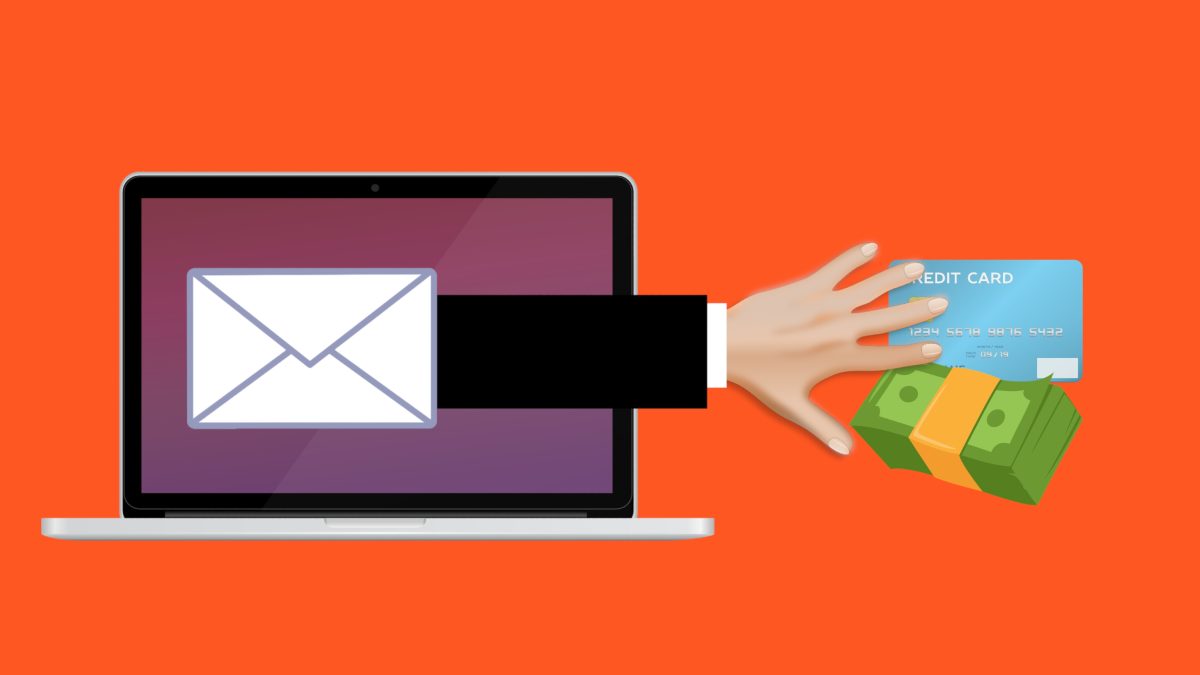
If you run a website, sooner or later an email like this lands in your inbox: a "security researcher" says they've found a vulnerability on your site, rates it "Medium" or "Critical," and politely asks whether you offer a reward. Security people call these beg bounty emails. Most are copy-and-paste reports from automated scanners, sent to thousands of sites in the hope that a few owners will pay.
They aren't all harmless spam, though. Some contain links and attachments you shouldn't open, some escalate into threats, and once in a while the issue they describe is real. This guide explains how beg bounty hunters operate, what their typical "findings" actually mean, the risks of engaging, and a practical playbook for handling the next one.
Key takeaways
- A beg bounty is an unsolicited vulnerability report sent to a business that has no bug bounty program, followed by a request for payment.
- Most are generated by automated scans and describe low-risk configuration issues, such as a missing DMARC record or security header.
- Don't click links, open attachments or pay. Check the claim yourself with trusted tools, and fix it if it's real.
- Paying tends to bring more reports and bigger demands, not fewer.
- Publishing a
security.txtfile and a short disclosure policy gives genuine researchers a proper channel.
What is a beg bounty?
A bug bounty is a program in which a company invites security researchers to test its systems under published rules and pays for valid findings. Large companies run them directly or through platforms such as HackerOne, Bugcrowd and Intigriti.
A beg bounty turns that idea upside down. Nobody invited the sender, there are no rules, and the "finding" usually comes first, with the money request close behind. Security researcher Troy Hunt, who runs Have I Been Pwned, popularized the term in a 2021 blog post after receiving a steady stream of these requests. Sophos researcher Chester Wisniewski described the same pattern in a series of articles on what he called beg bounty hunters, noting that small businesses without a formal program are the usual targets.
What a beg bounty email looks like
Here's a typical example, lightly edited. Versions of it arrive at small business inboxes every week:
Subject: 🔒 [Bug Report][Medium] Lack of Session Invalidation After Password Change
Hello Team, I am an ethical hacker and found a security vulnerability on your website. Severity: Medium (High if the application handles sensitive financial or personal data). Steps to reproduce: 1. Log in using Browser A. 2. Log in to the same account using Browser B. 3. Change the password in Browser A… Kindly let me know if you have a bug bounty program so I can share the full details.
Notice what's missing: the site's actual URL, any timestamp, any screenshot, or any sign that the sender looked at your website. The severity line even hedges ("High if…"), because the sender doesn't know what your site does. In the case above, the site that received it had no password-change page for users at all, so the steps couldn't be followed as written.
How beg bounty hunters operate
Sophos broke the process down into three steps, and later reports from Intigriti describe the same playbook in more organized form:
- Automated scanning. Free tools scan huge lists of domains for missing email records, missing HTTP security headers, old software versions and similar configuration gaps.
- Template emails. A person (or, increasingly, an AI tool) pastes the scanner output into a ready-made report with official-sounding headings: Summary, Severity, Steps to Reproduce, Impact, and a reference to OWASP.
- Finding someone to pay. The email goes to any address they can find:
info@,support@,security@, contact forms, even social media accounts. - Follow-ups and pressure. If you reply, the sender asks about your "reward policy." If you ignore them, they may send reminders. Intigriti found one sender using helpdesk software to track targets and send payment requests at scale.
- Escalation. A minority move on to threats: they'll "publish the vulnerability," report you to regulators, or "test further." Australia's Commonwealth Bank warns of demands rising, citing one reported case that went from $500 to $5,000.
Because one person can send thousands of these a day, they only need a tiny fraction of recipients to pay. AI tools have made the reports look more polished, too. The open-source project curl ended its paid bug bounty on January 31, 2026, saying it wanted to remove the incentive for a flood of low-quality, AI-generated reports.
The usual "vulnerabilities," decoded
Most beg bounty reports recycle the same handful of findings. Here's what they usually mean for an ordinary business website:
| What the email claims | What it really means | Real risk / what to do |
|---|---|---|
| Missing or weak DMARC / SPF record ("email spoofing vulnerability") | Your domain doesn't fully tell other mail servers how to treat email that pretends to come from you. It's a DNS setting, not a flaw in your website. | Low to medium. Worth fixing anyway, because it helps stop people spoofing your domain. Your email provider has setup guides. |
| Clickjacking: missing X-Frame-Options or CSP header | Your pages can be shown inside another site's frame. | Usually low. It matters only on pages with logged-in actions, like account settings or admin panels. Adding the header takes minutes. |
| Missing security headers (HSTS, CSP, Referrer-Policy) | Optional browser protections aren't turned on. | Low on its own. Good hardening, not an emergency. |
| No rate limiting on the login, contact or password-reset form | Someone could submit the form many times quickly. | Can be real for login and reset forms (password guessing, email flooding). Check whether your platform already limits attempts. |
| Session not invalidated after a password change | Other logged-in browsers stay logged in after the password changes. | Valid best practice if users can change passwords. Most modern frameworks can do this, but it may need switching on. |
| Weak TLS ciphers or "SSL vulnerability" | Your server still accepts older encryption settings for old browsers. | Usually low. Run a free SSL test and ask your host to disable outdated protocols. |
| robots.txt or "sensitive paths" disclosed; software version visible | Public files are public, and the version number shows. | Not a vulnerability by itself. The real fix is keeping software updated. |
The pattern is clear: these are mostly hardening tips, not break-ins. Large bug bounty programs such as Mozilla's explicitly exclude SPF, DKIM and DMARC issues, and many exclude missing headers that come without a working attack. That doesn't mean you should ignore them. It means they aren't worth paying a stranger for, and you can check and fix them yourself.
Is it a beg bounty or a genuine report?
Real researchers do sometimes contact companies without being asked, and a real report deserves a real response. These signals help tell them apart:
| Likely a beg bounty | Likely a genuine report |
|---|---|
| Asks about a reward or "bounty program" before sharing details | Shares full technical details up front, without conditions |
| Generic: no specific URL, request, screenshot or timestamp from your site | Names the exact page, parameter or request and shows what happened |
| Issue is a missing header, DNS record or "best practice" | Shows real impact: data exposed, account taken over, code executed |
| Free webmail sender, emoji or "[Bug Report]" tags in the subject line | Often from a known researcher, firm or platform, with a public profile |
| Links to "full report" downloads, attachments or login pages | Content is in the email body as plain text |
| Follow-ups mention urgency, deadlines or public disclosure | Offers a reasonable time to fix before any disclosure |
The dangers of engaging
1. Paying invites more demands
Sophos described a business that paid one small reward and then saw a five- to tenfold increase in low-value reports. Paying marks you as a business that pays. The same people, or people they share lists with, come back with the next scanner finding.
2. Replying confirms your inbox is live
Even a "no thanks" tells the sender that a real person reads that address. Expect follow-ups, haggling and pressure.
3. Links and attachments can be phishing or malware
A "security alert" is a perfect lure, because it makes busy owners act fast. In March 2025, attackers opened fake "Security Alert" issues on roughly 12,000 GitHub repositories. The links led to a malicious app called "gitsecurityapp" that, once approved, could read and change the victim's code. A beg bounty email that asks you to "log in to view the report," download a ZIP or HTML "proof of concept," or install a tool should be treated the same way.
4. Handing over access or data
Some senders ask for a test account, admin access or a copy of your data "to verify the fix." Never give a stranger access to your systems or customer data.
5. Legal and reputational traps
Paying someone to stay quiet about a real breach can make things much worse. After hackers stole data on about 57 million Uber users and drivers in 2016, the company paid them $100,000 through its bug bounty program in exchange for silence. Uber's former security chief, Joe Sullivan, was convicted in 2022 of obstructing a Federal Trade Commission proceeding and concealing a felony, and in May 2023 he was sentenced to three years of probation and a $50,000 fine. If someone shows you real evidence of stolen data, treat it as an incident, not a negotiation.
On the other side, the US Justice Department said in May 2022 that it won't charge good-faith security research under the Computer Fraud and Abuse Act, but it was clear that "research" used to extort a company can still be prosecuted. If an email turns into "pay me or I publish," that's extortion, and you can report it.
What should you do? A practical playbook
- Don't reply, click or pay yet. Nothing in a beg bounty email is so urgent that it can't wait an hour while you check.
- Read the claim as plain text. Work out which category it falls into using the table above. Copy any URL as text rather than clicking it, and never open attachments.
- Check it yourself with trusted tools. Type the tool's address into your browser yourself. Qualys SSL Labs tests your HTTPS settings, securityheaders.com checks HTTP headers, and MXToolbox or your email provider's admin panel checks SPF and DMARC.
- Fix what's real and cheap. Add a DMARC record, switch on the missing headers, update your CMS and plugins, and limit login attempts. Most of these are an afternoon's work for a developer.
- Ask a professional if you're unsure. Send the email (as an attachment from your own mail client, not by forwarding links) to your developer, hosting company or a reputable security firm.
- Publish a security contact. Add a
/.well-known/security.txtfile (the RFC 9116 standard, which CISA recommends) with a security email address and a link to a short disclosure policy. State whether you pay for reports. Most small businesses don't, and saying so up front cuts negotiation short. - Report threats and phishing. In the US, report extortion attempts to the FBI's Internet Crime Complaint Center at ic3.gov. In the UK, forward suspicious emails to the National Cyber Security Centre at report@phishing.gov.uk. Then mark the message as spam.
- Keep a record. Save the email with full headers in case it escalates or the same sender returns.
How to answer a beg bounty email (or not)
For an obviously templated scanner report, no reply is a perfectly good reply. Fix anything real and move on.
If the report looks like it might be genuine, or you prefer to answer, keep it short. Send it from a role address such as security@, not a personal one, and make no promises about payment:
Thank you for contacting us. We don't run a bug bounty program and don't pay for unsolicited reports. If you believe you've found a security issue, please send the full technical details, the exact URL and the steps to reproduce to this address as plain text in the email body. We'll review it and fix any confirmed issue. Please don't run further tests against our systems.
Then stop. If the reply is another request for money, a demand, or a link instead of details, you have your answer.
When the report is real
Occasionally the email does describe a genuine, serious flaw, such as exposed customer data or a way into accounts. In that case:
- Fix it first, then check your logs to see whether anyone else used it.
- If personal data was accessed, check your notification duties. Most US states have breach notification laws, and if you serve customers in the UK or EU, GDPR generally requires telling the regulator within 72 hours of becoming aware of a reportable breach.
- Thank the researcher and, if you like, credit them publicly. A thank-you is normal; a payment is your choice, not their right.
- Consider a free or low-cost vulnerability disclosure program through a platform such as HackerOne, Bugcrowd or Intigriti, so future reports arrive in a structured way.
Treat the finding seriously and the sender with caution. Check it yourself, fix what's real, and never let a stranger's deadline decide what you click or pay.
FAQ
What is a beg bounty?
An unsolicited vulnerability report sent to an organization without a bug bounty program, followed by a request for payment. Most come from automated scans and describe minor configuration issues.
Are beg bounty emails illegal?
Sending a report and asking for a reward generally isn't a crime by itself. Threatening to publish or exploit a flaw unless you pay is extortion, and unauthorized testing that goes beyond simple scans can break computer misuse laws such as the US Computer Fraud and Abuse Act or the UK Computer Misuse Act.
Should I pay a beg bounty?
No. Fix any real issue yourself. Paying tends to attract more reports and higher demands, and you have no way of knowing whether the sender will stop.
Is it safe to open the link in a bug report email?
Don't. Links can lead to phishing pages, malicious downloads or fake app approvals. Copy the address as text if you need to show it to someone, and test your site with tools you open yourself.
Should I reply to a beg bounty email?
You don't have to. For templated reports, silence is fine. If you reply, use a short message asking for full details in the email body, state that you don't pay for unsolicited reports, and don't send attachments or credentials.
How do I stop getting beg bounty emails?
You can't stop them entirely, but publishing a security.txt file and a disclosure policy that says you don't pay for unsolicited reports, along with fixing the common scanner findings, reduces both the volume and the pressure.
Want to close the gaps scanners look for? Start with our small business cyber security checklist. If your site needs a security review or hardening, our bug fixing and security work is recorded session by session, so you can see exactly what was changed.
Sources: Troy Hunt: Beg bounties, Sophos: Have a domain name? Beg bounty hunters may be on their way, Sophos: The unintended consequences of rewarding beg bounty hunters, Intigriti: Insights into the latest beg bounty scam, CommBank: What is a beg bounty?, Intruder: Fake clickjacking bug bounty reports, Red Sift: Beg bounties and DMARC, Help Net Security: GitHub maintainers targeted with fake security alert, US Department of Justice: Former Uber security chief sentenced, Lawfare: DOJ revises CFAA charging policy, The Register: curl ends its bug bounty, RFC 9116 (security.txt), CISA: security.txt, a simple file with big value.
 How-To
How to Spot Tech Hype: A 6-Step Checklist for Reading Tech News
Every week brings a "revolutionary" launch. Six quick checks separate the stories that matter from the press releases dressed up a...
Read article
 Hardware News
Why Graphics Card Prices Swing So Much (and When to Buy)
GPU prices rise and fall more than almost any other PC part. Here is what drives the swings and how to time a purchase.
Read article
 Software & SaaS News
SaaS Prices Keep Rising: 7 Ways to Get Your Software Bill Under Control
Subscriptions creep up one seat and one add-on at a time. A one-afternoon audit can cut a business software bill without losing an...
Read article