

Best Tablets 2026: iPad vs Android vs Windows Buying Guide
Choosing from the best tablets in 2026? Compare iPad, Samsung Galaxy Tab, Surface and Amazon models on screens, styluses, storage and years of updates.
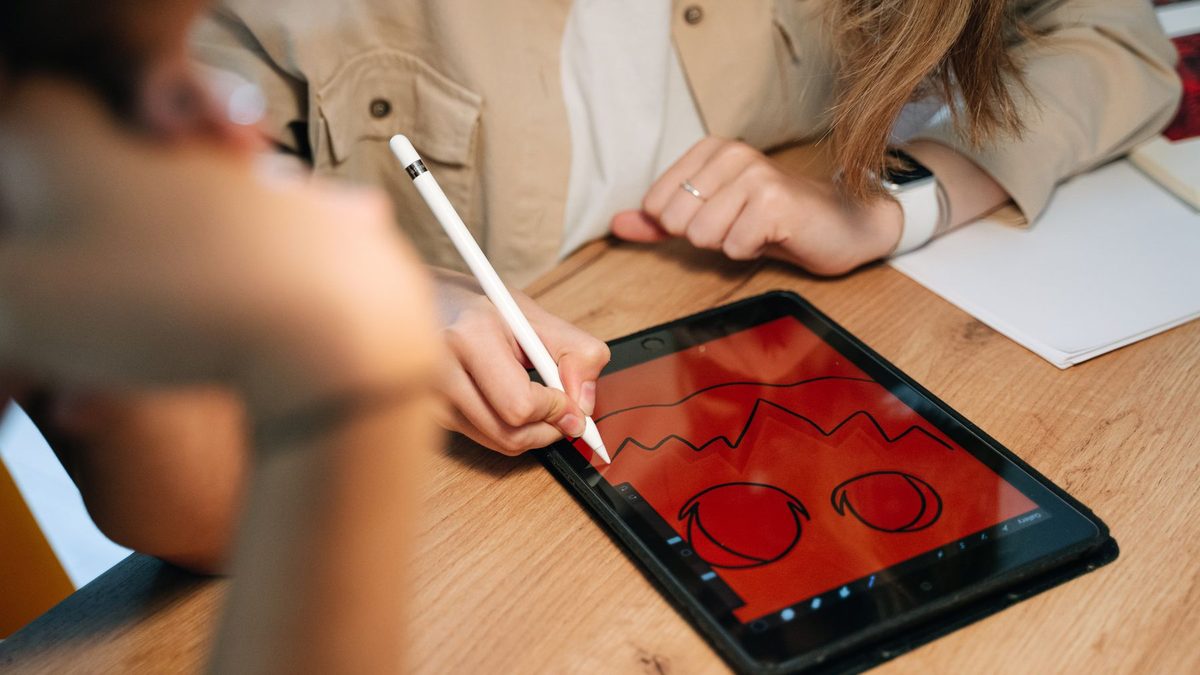
Tablets have quietly become the do-everything screen in many homes: the sofa browser, the homework machine, the sketchbook and the travel TV. Picking from the best tablets in 2026 is trickier than it used to be, though, because prices have risen, Amazon has shaken up its range and the gap between a tablet and a laptop keeps shrinking.
This guide compares iPads, Android tablets, Windows 2-in-1s and budget options, and explains which features are worth paying for.
Key takeaways
- The standard iPad is still the safest all-rounder, but the iPad Air is the sweet spot for students and creatives.
- Samsung now promises seven years of Android and security updates on many Galaxy Tab models, matching Apple's long support.
- Buy a Surface only if you need full Windows apps; for everything else a tablet is cheaper and simpler.
The tablet market by the numbers
IDC says demand has hit a wall, partly because the global memory shortage has pushed up prices. Samsung raised Galaxy Tab list prices in April and Apple followed with global iPad price rises in June. Apple still dominates: Omdia counted 13.5 million iPads shipped in the second quarter, more than double Samsung's total.
What matters when choosing a tablet
Screen
Size sets the experience. An 8 to 9-inch tablet is a great reader and travel companion, 11 inches is the all-round sweet spot, and 12 to 13 inches suits drawing, split-screen work and films. Look for a laminated display (less glare and a more natural feel with a stylus) and a high refresh rate if you scroll a lot.
Stylus and keyboard support
Check compatibility before you buy. Apple's iPad Air, iPad Pro and iPad mini work with the Apple Pencil Pro, while the entry iPad supports the cheaper USB-C and first-generation Pencils. Samsung's Galaxy Tab S11 and Tab S10 FE include an S Pen in the box, which is a real saving. Budget for a keyboard case if you plan to type.
Software update length
This is the most overlooked spec. A tablet that stops getting security fixes becomes risky to use online, especially for children.
- Apple does not publish a fixed policy, but its record is excellent. iPadOS 27, announced in June 2026, still supports the 2020 iPad Pro, according to MacRumors.
- Samsung lists seven Android upgrades and seven years of security updates for the Galaxy Tab S11, Tab S10 FE, Tab S10 Lite and Tab A11+ in its published update policy.
- Cheaper Android brands often promise far less, so check the maker's policy before you buy.
Storage and cellular
Tablet storage cannot usually be upgraded later, and Apple charges a lot for higher tiers. 128GB is fine for streaming and schoolwork; choose 256GB or more for offline films, games or large drawing files. Many Android tablets still accept a microSD card. Cellular models cost more up front and need a data plan, so most people are better off using their phone's hotspot.
The iPad range in 2026
Apple's line-up is easy to follow. Following Apple's June price rises, Which? lists these approximate UK starting prices at the time of writing:
- iPad (A16), 11-inch, from about £429: the default choice for families, browsing and schoolwork.
- iPad mini (A17 Pro), 8.3-inch, from about £599: ideal for reading, travel and one-handed use.
- iPad Air (M4), 11 or 13-inch, from about £749 and £949: launched in March 2026 with more memory, and the best value for students and artists.
- iPad Pro (M5), 11 or 13-inch, from about £1,199 and £1,499: a superb OLED screen and laptop-class power, but overkill for most buyers.
Android tablets: Samsung and beyond
Samsung leads Android tablets with three clear tiers. The Galaxy Tab S11 series rivals the iPad Air and Pro with bright AMOLED screens and DeX, a desktop-style mode for multitasking. Samsung has unveiled the Galaxy Tab S12+ and S12 Ultra, going on sale in selected markets from 7 October with Android 17 and the same seven-year promise, reports SamMobile.
The Tab S10 FE is the value pick with an S Pen included, and the Galaxy Tab A11+ is a capable budget tablet with long support. Lenovo, Xiaomi and OnePlus also make good-value Android tablets, often with sharper screens for the money, but update promises are typically shorter.
Windows 2-in-1s: Surface Pro
A Windows tablet makes sense if you need desktop software such as full Office, specialist apps or company tools. Microsoft's 13-inch Surface Pro with Snapdragon X2 chips arrived in June from US$1,499, and the Surface Pro 12-inch follows from US$1,149.99. The keyboard and Slim Pen are sold separately, so factor them in. As pure tablets, they have far fewer touch-friendly apps than an iPad or Galaxy Tab.
Budget and kids: Amazon's big change
Amazon Fire tablets have long been the cheapest way into tablets, but on 8 October Amazon announced a new Alexa Tablet range running Android with the Google Play Store. According to iClarified, US prices start at US$229.99 for the 8.7-inch model, kids' versions include a case and a year of Kids+, and Amazon will phase out Fire tablets while keeping existing ones patched. UK availability follows from 19 October.
Older Fire tablets may now be heavily discounted. They remain fine for video and reading, but check how long security updates will continue before buying one for a child.
Before buying for a child, check three things: parental controls, a tough case, and how many years of security updates are left.
Which tablet should you buy?
| Use or budget | Good pick | Why |
|---|---|---|
| Budget streaming and reading | Galaxy Tab A11+ or Amazon Alexa Tablet | Low cost; Samsung's long update support |
| Kids | Amazon kids' tablets or iPad (A16) with a case | Parental controls; durable cases |
| Students and note-taking | iPad Air (M4) or Galaxy Tab S10 FE | Strong stylus support; S Pen included with Samsung |
| Reading and travel | iPad mini (A17 Pro) | Small, light and fast |
| Drawing and creative work | iPad Pro (M5) or Galaxy Tab S11 | Top screens and pen support |
| Laptop replacement | Surface Pro | Full Windows apps |
FAQ
Is an iPad better than an Android tablet?
For tablet-optimised apps and resale value, the iPad usually wins. Samsung's Galaxy Tabs offer more flexibility, microSD storage on many models and, on several models, an S Pen in the box.
Do I need a cellular tablet?
Rarely. Tethering to your phone works for occasional use. Cellular is worth it if you travel often or use the tablet for work away from Wi-Fi.
Can a tablet replace a laptop for school?
For note-taking, research and essays, yes, with a keyboard case. Check whether your school requires specific desktop software first.
Still weighing it up? Browse more buying advice in our phones and tablets section, or compare full computers in our laptops guides.
Sources: IDC, Light Reading (Omdia), Which?, MacRumors, SamMobile (Tab S11), SamMobile (Tab S12), Samsung update policy, Microsoft (Surface Pro), Microsoft (Surface Pro 12-inch), iClarified
 PC Build Guides
How to Build a Gaming PC in 2026: Parts, Prices and Steps
Learn how to build a gaming PC in 2026: three example builds with realistic UK prices amid soaring RAM costs, step-by-step assembl...
Read article
 Hardware Deals
Black Friday Hardware Deals 2026: How to Spot Genuine Bargains
Black Friday hardware deals land on 27 November 2026. Learn to spot fake "was" prices, use price trackers and know your UK return...
Read article
 CPU & GPU Rankings
CPU and GPU Rankings Explained: How to Read Tier Lists
CPU and GPU rankings explained: how gaming and productivity benchmarks build tier lists, why results change with resolution, and h...
Read article