

Cases, Cooling & PSUs Hardware
How to Choose a PC Case, CPU Cooler and Power Supply in 2026
How to choose a PC case, CPU cooler and power supply: GPU clearance, airflow, air vs AIO cooling, PSU wattage, 80 PLUS ratings and the ATX 3.1 12V-2x6 cable.
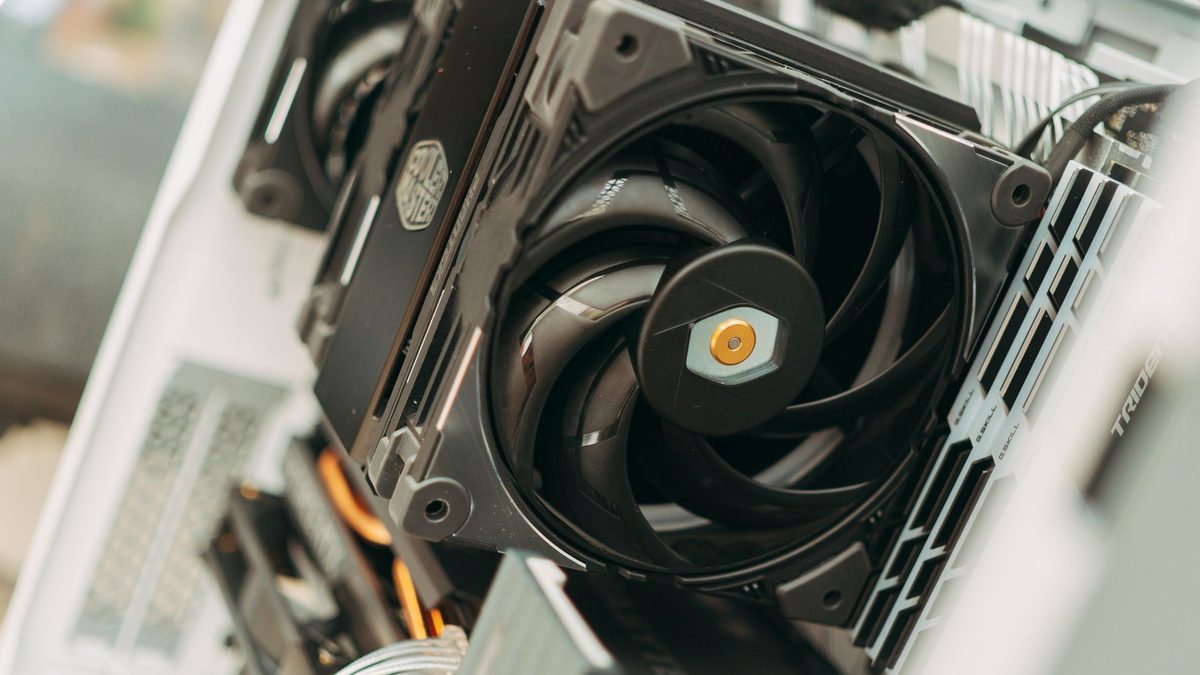
Most PC builders spend hours comparing graphics cards and processors, then pick the rest of the parts in five minutes. That is a mistake, because the PC case, cooler and power supply decide how hot, loud and reliable your system will be for years.
This guide walks through each choice in plain terms, with real power figures from AMD and Nvidia, so you can buy the right size of everything first time.
Key takeaways
- Check graphics card length, cooler height and radiator support before you buy a case.
- A good air cooler suits most processors; AMD recommends liquid cooling for chips such as the Ryzen 7 9800X3D.
- Size your power supply from the GPU maker's recommendation, and choose an ATX 3.1 unit with a native 12V-2x6 cable for modern cards.
Choosing a case: size, clearance and airflow
Cases come in three common sizes. Mid-towers fit ATX motherboards and suit most builds. Full towers add room for large radiators and extra drives. Compact micro-ATX and Mini-ITX cases save desk space but need more careful part choices.
Check the clearances
- Graphics card length and thickness. Nvidia's RTX 5090 Founders Edition is 304mm long and two slots thick, but many partner cards are longer and chunkier.
- CPU cooler height, especially in narrow cases.
- Radiator support: note which positions take 240mm, 280mm or 360mm radiators.
- Power supply length, which matters in small cases.
Prioritise airflow
Look for a mesh front panel rather than solid glass, removable dust filters and room for at least two intake fans. Aim for slightly more intake than exhaust; this positive pressure helps keep dust out because air leaves through the gaps instead of being drawn in.
Air cooling or AIO liquid cooling?
Start with your processor's power. AMD lists a 120W default TDP for the Ryzen 7 9800X3D and 170W for the Ryzen 9 9950X, with no cooler in the box and a liquid cooler recommended for both. TDP is a cooling guideline, not an exact power draw, so check the maker's figures and reviews for your chip.
Air coolers
A tower air cooler is simple, affordable and has no pump to fail. A large dual-tower model can handle most gaming processors quietly. The trade-off is height, so confirm it fits your case and does not block memory slots.
AIO liquid coolers
All-in-one (AIO) coolers move heat to a radiator, usually mounted at the top or front of the case. They help with long, heavy workloads on high-power chips and keep the area around the socket clear. Downsides include pump noise, a higher price and a limited lifespan, because the sealed loop cannot be refilled.
Keeping fan noise down
- Bigger fans spin slower for the same airflow, so 140mm fans are often quieter than 120mm.
- Set fan curves in the BIOS so fans ramp gradually with temperature.
- Choose a power supply with a semi-passive mode, which stops its fan at light loads.
- Check noise ratings: Cybenetics LAMBDA ratings grade power supply noise, from A++ for the quietest units downwards.
How much power supply wattage do you need?
The graphics card is the biggest power draw in most gaming PCs, so the easiest starting point is the GPU maker's recommendation. Nvidia's figures assume a system with a Ryzen 9 9950X, a high-end 16-core processor.
| Build tier | Example graphics card | Card power | Vendor minimum PSU |
|---|---|---|---|
| Entry 1080p | AMD Radeon RX 9060 XT | 160W | 450W |
| Entry 1080p | Nvidia GeForce RTX 5060 | 145W | 550W |
| Mainstream | Nvidia GeForce RTX 5060 Ti | 180W | 600W |
| Upper mid-range | AMD Radeon RX 9070 / Nvidia RTX 5070 | 220W / 250W | 650W |
| High-end 1440p | AMD Radeon RX 9070 XT / Nvidia RTX 5070 Ti | 304W / 300W | 750W |
| Enthusiast 4K | Nvidia GeForce RTX 5080 | 360W | 850W |
| Flagship | Nvidia GeForce RTX 5090 | 575W | 1000W |
Figures come from the official spec pages for RTX 5060, RTX 5070, RTX 5080 and Radeon RX 9000 cards. Factory-overclocked partner cards may need more, so check the card maker's page and add headroom if you run a high-power CPU.
Buy the wattage your graphics card maker recommends, then spend any spare budget on a better-rated unit rather than a bigger one.
Efficiency ratings: 80 PLUS and Cybenetics
Efficiency ratings tell you how much power is lost as heat. Under the 80 PLUS 115V scheme, a Bronze unit must reach 85% efficiency at half load, Gold 90% and Titanium 94%. A Gold-rated unit is the sweet spot for most builds.
Cybenetics runs a stricter test across many load levels. Its ETA scale runs from Bronze, at 82% or better overall, up to Diamond at 93% or more, and its LAMBDA scale rates noise.
ATX 3.1 and the 12V-2x6 connector
Modern graphics cards use a single 16-pin power connector. The ATX 3.1 standard replaced the earlier 12VHPWR design with the 12V-2x6 connector, which, as AnandTech explains, uses shorter sense pins so the card does not draw full power through a poorly seated plug. It is rated for up to 600W.
Nvidia recommends a PCIe CEM 5.1 compliant power supply for the RTX 5090, which can use one 600W native cable or four 8-pin cables through an adapter. A native cable is tidier. Push it in until it clicks and avoid tight bends right next to the plug.
FAQ
Is a bigger power supply always better?
No. Extra wattage you never use adds cost without improving performance. Follow the GPU maker's recommendation, allow some headroom for upgrades, and prioritise quality and efficiency.
Do I need an AIO cooler for gaming?
Not usually. A good tower air cooler handles most gaming processors. Consider an AIO for high-power chips, heavy all-core workloads, or if the processor maker recommends liquid cooling.
Can I reuse my old power supply?
If it is a quality unit with enough wattage and the right connectors, yes. For a new high-end graphics card, an ATX 3.1 unit with a native 12V-2x6 cable is the safer choice.
Pick the graphics card that sets your power budget in our GPU guides, or see complete parts lists in our PC builds section.
Sources: Nvidia RTX 5090, Nvidia RTX 5080, Nvidia RTX 5070 family, Nvidia RTX 5060 family, AMD Radeon RX 9070 XT, AMD Ryzen 7 9800X3D, Intel Core Ultra 9 285K, PCWorld, 80 PLUS (Wikipedia), Cybenetics, AnandTech
 PC Build Guides
How to Build a Gaming PC in 2026: Parts, Prices and Steps
Learn how to build a gaming PC in 2026: three example builds with realistic UK prices amid soaring RAM costs, step-by-step assembl...
Read article
 Hardware Deals
Black Friday Hardware Deals 2026: How to Spot Genuine Bargains
Black Friday hardware deals land on 27 November 2026. Learn to spot fake "was" prices, use price trackers and know your UK return...
Read article
 CPU & GPU Rankings
CPU and GPU Rankings Explained: How to Read Tier Lists
CPU and GPU rankings explained: how gaming and productivity benchmarks build tier lists, why results change with resolution, and h...
Read article