


Laptop shopping has rarely been this confusing. There are four serious chip families, three main operating systems, a new "Copilot+" badge and memory prices that keep pushing costs up. Knowing how to choose a laptop in 2026 is mostly about ignoring the noise and matching the machine to what you actually do.
This guide breaks the decision into simple questions, with clear minimums for memory, storage and screens.
Key takeaways
- Decide what you will use the laptop for first, then pick the operating system and chip.
- 16GB of RAM and 512GB of storage is the sensible baseline for most Windows buyers in 2026.
- Rising memory costs mean it pays to buy the right specification once rather than upgrade early.
The laptop market by the numbers
IDC blames a memory chip shortage for the first drop in PC shipments after nine quarters of growth, and expects no meaningful relief before the end of 2027. Omdia's analysts say prices across comparable laptop ranges rose by around 20% to 40% year on year in the second quarter, as ChannelNews reported. In plain terms, laptops cost more, so a wrong choice costs more too.
Start with what you actually do
Ignore spec sheets for a moment and list your daily tasks. Browsing and documents need far less power than 4K video editing or modern games.
| User type | Good platforms | RAM | Storage | Prioritise |
|---|---|---|---|---|
| Students | Chromebook, MacBook Neo or Air, light Windows laptop | 8GB light use, 16GB ideal | 256GB-512GB | Weight, battery, keyboard |
| Office and home | Windows Copilot+ PC or MacBook Air | 16GB | 512GB | Screen comfort, webcam, ports |
| Creators | MacBook Pro or Windows with an RTX GPU | 32GB or more | 1TB or more | Colour-accurate OLED or mini-LED screen |
| Gamers | Windows (x86) with a dedicated GPU | 16GB minimum, 32GB ideal | 1TB | GPU, cooling, 144Hz+ screen |
| Developers | MacBook Air or Pro, x86 Windows or Linux | 32GB | 1TB | Keyboard, RAM, Linux and tool support |
Windows, MacBook or Chromebook?
Windows
Windows offers the widest choice of sizes, prices and gaming hardware, and is the safe pick for specialist business software. Quality varies enormously, so read reviews of the exact model.
MacBook
Apple's range now starts lower than ever. The MacBook Neo, launched in March 2026 with the iPhone's A18 Pro chip, starts at around £599 at the time of writing, although it has 8GB of memory and Apple claims up to 16 hours of battery life. The MacBook Air with M5 starts at around £1,099 for the 13-inch model and £1,299 for the 15-inch, according to Apple, with 512GB of storage as standard. The MacBook Pro with M5 Pro or M5 Max is aimed at heavy creative work.
Chromebook and the new Googlebook
Chromebooks remain cheap, simple and secure, which is why schools love them. Google has also announced Googlebook, an Android-based successor aimed at the premium end. According to 9to5Google, the first models start at US$899 with at least 16GB of RAM and reach UK shops from 5 October. Existing Chromebooks keep receiving updates until the end of their support windows.
Chips explained without the jargon
- Apple M5 family: excellent battery life and performance per watt. M5 Pro and M5 Max add more CPU and GPU cores for creative work.
- Qualcomm Snapdragon X2: Arm-based Windows chips with an 80 TOPS NPU, according to Tom's Hardware. Battery life is a strength, but check that your apps, games with anti-cheat and older peripherals support Windows on Arm.
- Intel Core Ultra Series 3 (Panther Lake): launched at CES 2026 on Intel's 18A process, with most models rated at 50 TOPS for the NPU, as Engadget reported.
- AMD Ryzen AI 400: Zen 5 chips with NPUs rated from 50 up to 60 TOPS, per PCWorld. Strong for both work and gaming laptops.
For gaming, the graphics card matters more than the processor. Laptop GPUs are popular: the RTX 4060 Laptop GPU was the second most common graphics chip in Steam's August 2026 survey, according to The FPS Review.
Do you need a Copilot+ PC?
Copilot+ is Microsoft's badge for Windows laptops that can run certain AI features on the device. Microsoft's requirements include an NPU rated at 40+ TOPS, 16GB of DDR5 or LPDDR5 memory and 256GB of SSD or UFS storage.
Most new Windows laptops built on Snapdragon X2, Core Ultra Series 3 or Ryzen AI 400 qualify. The badge signals a modern laptop, but do not pay a large premium for it alone.
RAM and storage: the minimums that matter
Memory is usually soldered to the motherboard now, so you cannot add more later. That makes it the most important decision on the spec sheet.
- 8GB: acceptable only for light browsing and documents, such as on a Chromebook or MacBook Neo.
- 16GB: the sensible minimum for Windows and the Copilot+ requirement.
- 32GB or more: for video editing, large code projects, virtual machines and local AI models.
For storage, 512GB is the comfortable floor for most people. Cloud storage helps, but games, photo libraries and offline files fill a 256GB drive quickly.
Spend extra on memory before a faster chip. A mid-range processor with enough RAM feels quicker than a flagship that is constantly running short.
Screens and battery life: claims vs reality
OLED screens offer deep blacks and vivid colour, which is great for films and photo work, but they can use more power with bright, mostly white content. A good IPS or mini-LED panel is fine for most buyers. Look for at least 300 nits of brightness if you work near windows, and a 120Hz or higher refresh rate for smoother scrolling and gaming.
Battery claims are measured under the maker's chosen conditions, often video playback at fixed brightness. Apple quotes up to 18 hours for the MacBook Air M5, for example, but video calls, gaming and high brightness drain any laptop far faster. Treat claims as a ceiling and check independent reviews that test web browsing.
FAQ
Is 8GB of RAM enough in 2026?
For a Chromebook or a MacBook Neo used for browsing and documents, yes. For a Windows laptop you plan to keep for several years, choose 16GB.
Are Arm-based Windows laptops a safe buy?
For most office and browser-based work they are. Gamers and anyone using specialist software or older hardware should check compatibility first.
Should I wait for prices to fall?
IDC does not expect memory supply to ease before the end of 2027, so waiting may not help. Buy when you need a laptop and focus on getting the specification right.
Ready to compare models? Browse our laptop guides and keep an eye on our hardware deals for discounts on the specs recommended above.
Sources: IDC Q2 2026 PC shipments, IDC PC market outlook, Omdia Q2 2026 tablet and Chromebook market, ChannelNews (Omdia PC data), Apple Newsroom, 9to5Google, Tom's Hardware, Engadget, PCWorld, The FPS Review (Steam survey), Microsoft Copilot+ PC requirements
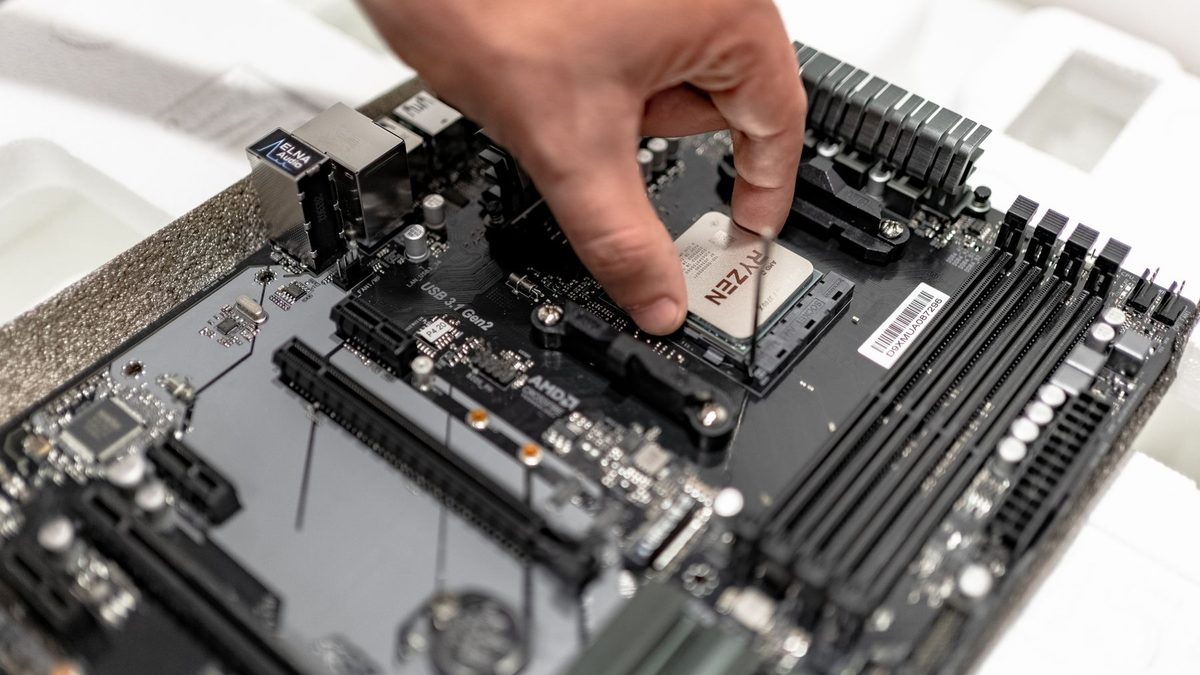 PC Build Guides
How to Build a Gaming PC in 2026: Parts, Prices and Steps
Learn how to build a gaming PC in 2026: three example builds with realistic UK prices amid soaring RAM costs, step-by-step assembl...
Read article
 Hardware Deals
Black Friday Hardware Deals 2026: How to Spot Genuine Bargains
Black Friday hardware deals land on 27 November 2026. Learn to spot fake "was" prices, use price trackers and know your UK return...
Read article
 CPU & GPU Rankings
CPU and GPU Rankings Explained: How to Read Tier Lists
CPU and GPU rankings explained: how gaming and productivity benchmarks build tier lists, why results change with resolution, and h...
Read article