

How to Choose a Motherboard in 2026: Sockets, Chipsets, Features
Learn how to choose a motherboard in 2026: AM5 vs LGA1851, X870 vs B850 vs Z890 vs B860, form factors, VRMs, PCIe 5.0, USB4, Wi-Fi 7 and must-have extras.
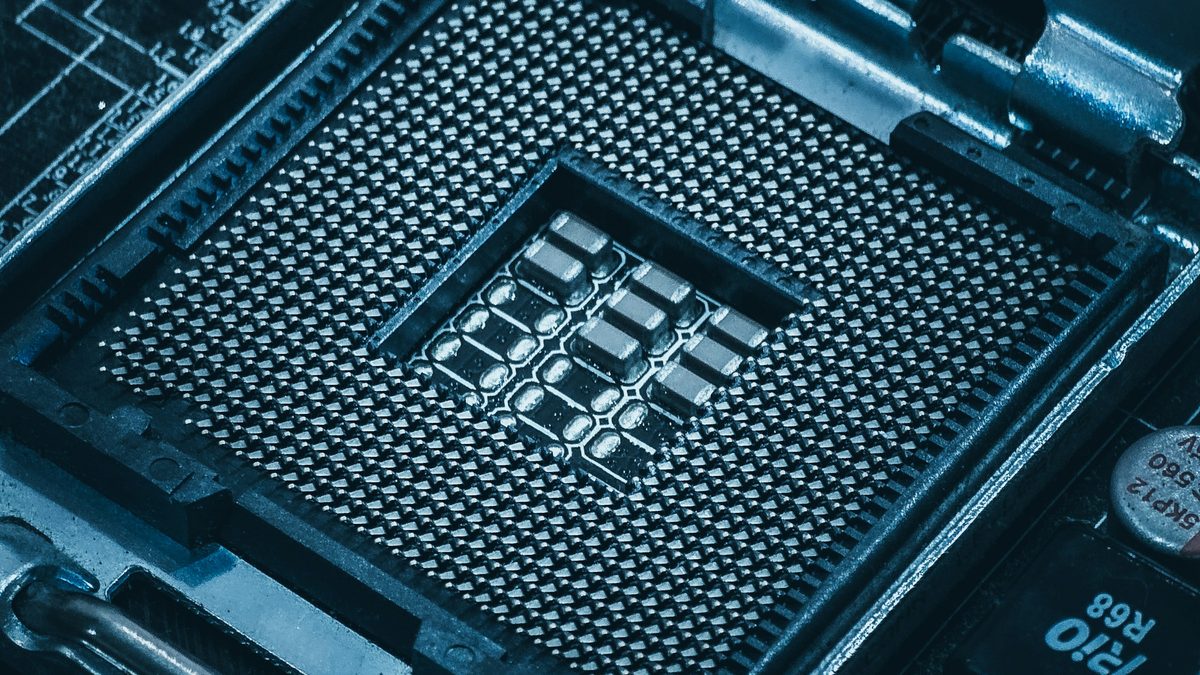
The motherboard is the least exciting part of a PC to shop for and one of the easiest to get wrong. It decides which processor you can use, how many fast SSDs you can fit and whether you can upgrade later without starting again.
This guide explains how to choose a motherboard in 2026, from sockets and chipsets to the small features that save hours of frustration, so you only pay for what you will use.
Key takeaways
- Pick your CPU first: AMD uses the AM5 socket and Intel's current desktop chips use LGA1851.
- For most gamers, a B850 (AMD) or B860 (Intel) board offers the best balance of features and price.
- Pay for features you will use, such as BIOS flashback, enough M.2 slots and decent VRM cooling, not for RGB and marketing.
Start with your processor and socket
A motherboard only accepts processors that fit its socket, so choose your CPU first. In 2026 there are two mainstream desktop sockets to know.
AMD AM5
AM5 supports Ryzen 7000, 8000 and 9000 series processors. AMD notes that older 600-series boards may need a BIOS update for Ryzen 8000 and 9000 chips. The big selling point is longevity: at Computex in June 2026, AMD said it plans drop-in upgrades and new architectures for AM5 through 2029, two years beyond its previous commitment.
Intel LGA1851
Intel's Core Ultra 200S processors use LGA1851, and the refreshed Core Ultra 200S Plus chips went on sale on 26 March 2026 for the same socket. HWCooling reports that Intel says they should boot on existing boards without a BIOS update. However, Intel's next generation, Nova Lake, is widely reported to need a new LGA1954 socket and 900-series boards. Buy LGA1851 for what it does now, not for future CPU upgrades.
Chipsets compared: what you actually get
The chipset sets the board's ceiling for overclocking, PCIe and USB. Board makers decide how much of it to use, so always check the model's spec sheet.
| Chipset | CPU overclocking | Graphics slot | CPU-connected M.2 | Fast USB | Best for |
|---|---|---|---|---|---|
| AMD X870E | Yes | PCIe 5.0 | PCIe 5.0 | USB4 standard | Enthusiasts needing maximum I/O |
| AMD X870 | Yes | PCIe 5.0 | PCIe 5.0 | USB4 standard | High-end gaming builds |
| AMD B850 | Yes | PCIe 4.0 (5.0 on some boards) | PCIe 5.0 | USB4 optional | Most gamers |
| AMD B840 | No (memory only) | PCIe 4.0 | PCIe 4.0 | USB4 optional | Budget builds |
| Intel Z890 | Yes | PCIe 5.0 | PCIe 5.0 | Thunderbolt 4 support | Unlocked "K" processors |
| Intel B860 | No (memory only) | PCIe 5.0 | PCIe 5.0 | Thunderbolt 4 support | Most Intel builds |
The AMD rows come from AMD's AM5 chipset page, which also lists up to 44 usable PCIe lanes for X870E against 36 for X870 and B850. On Intel, Puget Systems notes that Z890 provides 24 chipset PCIe 4.0 lanes versus 14 on B860, plus a wider link to the processor. Thunderbolt 4 is built into Core Ultra 200S processors, but each board maker decides whether to fit the ports.
Form factor: ATX, micro-ATX or Mini-ITX
- ATX is the default for mid-tower cases. You get the most M.2 slots, expansion slots, fan headers and rear ports.
- Micro-ATX is shorter, often cheaper, and loses a few expansion slots. For a single graphics card build it rarely holds you back.
- Mini-ITX has one expansion slot and usually just two memory slots. It suits compact builds, but expect higher prices and tighter cooling.
Make sure your case supports the board size you choose.
VRMs and power delivery
The voltage regulator modules (VRMs) around the socket feed power to the processor. Weak or poorly cooled VRMs can throttle a high-end chip under sustained load. Intel lists the Core Ultra 9 285K at a maximum turbo power of 250W, so flagship processors need a board built for it.
Rather than counting power phases, look for chunky VRM heatsinks and reviews that measure VRM temperatures. For a mid-range six or eight-core processor, almost any current B850 or B860 board is fine.
PCIe 5.0, M.2 slots and lane sharing
PCIe 5.0 runs at 32 GT/s per lane, which works out at roughly 64GB/s in each direction on a x16 slot, according to AnandTech. Today's graphics cards barely use that, so a PCIe 5.0 graphics slot is a nice extra rather than a must. A PCIe 5.0 M.2 slot matters more if you plan to buy one of the fastest SSDs.
The bigger trap is lane sharing. Fitting a drive in certain M.2 slots can disable SATA ports or cut the graphics slot from x16 to x8. Read the manual's lane diagram before you buy, especially if you want three or more SSDs.
USB4, Thunderbolt and Wi-Fi 7
USB4 is standard on X870 and X870E boards and offers 40Gbps for fast external drives and docks. The newer USB4 Version 2.0 specification doubles that to 80Gbps, and Intel's Thunderbolt 5 offers 80Gbps both ways, boosting to 120Gbps for display-heavy setups. Only pay extra if you own fast external storage or a Thunderbolt dock.
Wi-Fi 7 adds 320MHz channels in the 6GHz band, Multi-Link Operation and 4K QAM, which the Wi-Fi Alliance says gives 20% higher transmission rates than 1024 QAM. You only see the full benefit with a Wi-Fi 7 router. If your PC sits next to the router, wired 2.5GbE Ethernet is still the better option.
Features worth paying for
- BIOS flashback: update the firmware from a USB stick without a working CPU or memory. Ideal when a board ships with an older BIOS.
- Enough M.2 slots, ideally with heatsinks, so you can add storage later.
- Plenty of rear USB ports, including USB-C, so you are not relying on a hub.
- Debug LEDs or a POST code display, which show where a failed boot stopped.
- 2.5GbE networking and enough fan headers for your case.
Features to skip unless you need them include extreme overclocking tools, heavy RGB lighting, and premium audio claims if you use a headset or USB DAC.
Spend money on the board's foundations, such as power delivery, M.2 slots and BIOS flashback, before anything that lights up.
FAQ
Do I need an X870 or Z890 board for gaming?
Usually not. B850 and B860 boards run the same processors and handle gaming well. Choose X870 or Z890 if you need USB4 as standard, more PCIe lanes or full CPU overclocking.
Will a Ryzen 9000 processor work in an older B650 board?
Yes, AM5 boards support Ryzen 7000, 8000 and 9000 series chips, but AMD says a BIOS update may be required on 600-series boards. BIOS flashback makes this easy.
Is PCIe 5.0 worth it in 2026?
A PCIe 5.0 M.2 slot is worth having for future SSD upgrades. A PCIe 5.0 graphics slot is less important, because current cards perform well on PCIe 4.0.
Once you have picked your board, match it with the right processor in our CPU guides or see complete parts lists in our PC builds section.
Sources: AMD AM5 chipsets, PCGamesN, HWCooling, TweakTown, Puget Systems, Intel Core Ultra 9 285K specifications, AnandTech, USB-IF, Intel Thunderbolt 5, Wi-Fi Alliance
 PC Build Guides
How to Build a Gaming PC in 2026: Parts, Prices and Steps
Learn how to build a gaming PC in 2026: three example builds with realistic UK prices amid soaring RAM costs, step-by-step assembl...
Read article
 Hardware Deals
Black Friday Hardware Deals 2026: How to Spot Genuine Bargains
Black Friday hardware deals land on 27 November 2026. Learn to spot fake "was" prices, use price trackers and know your UK return...
Read article
 CPU & GPU Rankings
CPU and GPU Rankings Explained: How to Read Tier Lists
CPU and GPU rankings explained: how gaming and productivity benchmarks build tier lists, why results change with resolution, and h...
Read article