

Raspberry Pi Projects for Beginners: 8 Easy Builds for 2026
New to Raspberry Pi? Learn which board to buy in 2026, what else you need, how to set it up with Imager, and eight easy Raspberry Pi projects for beginners.
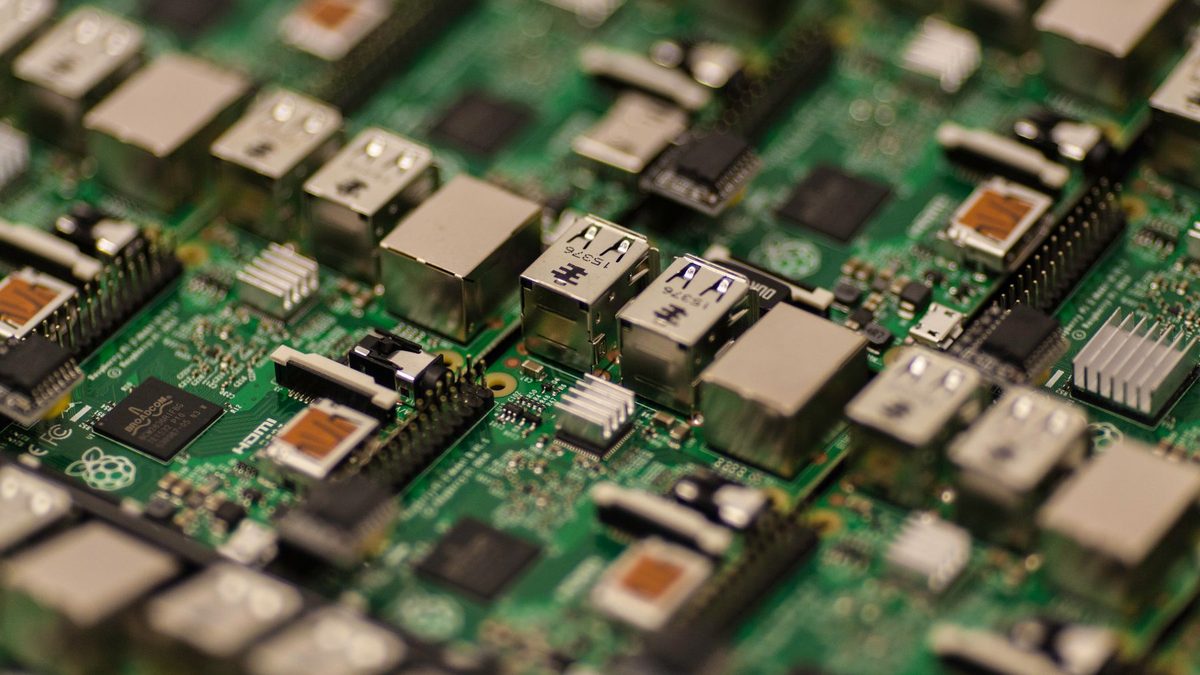
A Raspberry Pi is a credit-card-sized computer that can block adverts across your home, play classic games or run your smart lights. It is cheap to start, hard to break and endlessly fun to tinker with. This guide covers which board to buy, what else you need, and eight Raspberry Pi projects for beginners that are genuinely useful.
One thing has changed since the early days: memory prices have pushed some models up sharply, so choosing the right board matters more than ever.
Key takeaways
- For most first projects, a 2GB or 4GB Raspberry Pi 5 is the sweet spot; the Zero 2 W suits small, always-on jobs.
- Budget for the official 27W power supply, a decent microSD card and active cooling, not just the board.
- Pi-hole, Kodi and Home Assistant are three of the easiest wins for a first build.
Raspberry Pi by the numbers
Raspberry Pi Holdings reported a record first half in September 2026, driven by demand from hobbyists and industrial customers alike.
Which Raspberry Pi should you buy?
Raspberry Pi has raised prices several times since late 2025, blaming the cost of memory chips. In April 2026 it said the LPDDR4 memory used on the Pi 4 and Pi 5 had risen seven-fold in price over the previous year, according to its official announcement. The US list prices below are approximate at the time of writing, before local tax; UK reseller prices vary.
- Raspberry Pi 5: the full-power choice, with a 2.4GHz quad-core Arm Cortex-A76 processor, dual 4K HDMI outputs and a PCIe connector for an NVMe SSD. It starts at about US$45 for 1GB, while the 2GB model rose to US$77.50 on 1 October 2026, as Raspberry Pi confirmed. The 16GB version now costs over US$300.
- Raspberry Pi 500: a Pi 5 built into a compact keyboard with 8GB of RAM, listed at around US$180 for the unit or US$200 for the desktop kit. Ideal if you want a ready-made desktop.
- Raspberry Pi Zero 2 W: a tiny board with 512MB of RAM and Wi-Fi for about US$15. Perfect for single-purpose projects such as an ad blocker or sensor.
- Raspberry Pi Pico 2: not a computer at all but a microcontroller, from about US$5. It runs one program and is great for learning electronics with MicroPython.
For a first board that can tackle every project below, a 2GB or 4GB Raspberry Pi 5 is the sensible pick.
What else you need
- Power supply: the Pi 5 needs 5V at 5A over USB-C. Raspberry Pi recommends its official 27W supply; a weak phone charger can cause crashes and throttled USB ports.
- Storage: a good-quality microSD card of 32GB or more is fine to start. For a NAS or Home Assistant, an NVMe SSD on an M.2 HAT is faster and more reliable.
- Case and cooling: the Pi 5 benefits from active cooling. The official case includes a fan, or you can add the Active Cooler.
- Extras: a micro HDMI cable (the Pi 5 uses micro HDMI), plus a keyboard and mouse for the first setup.
Set up your Pi with Raspberry Pi Imager
Raspberry Pi Imager 2.0, released in late 2025, turned setup into a simple step-by-step wizard. Here is how to get going:
- Download Raspberry Pi Imager for Windows, macOS or Linux from the official website.
- Insert your microSD card and open Imager.
- Choose your device, for example Raspberry Pi 5.
- Choose an operating system. Raspberry Pi OS (64-bit) is the best general start, but Imager also lists project-ready systems such as LibreELEC and Home Assistant OS.
- Choose your storage, double-checking you have picked the card, not a backup drive.
- In the customisation step, set a hostname, username and password, your Wi-Fi details and time zone, and enable SSH if you want remote access.
- Write the image, then put the card in the Pi and power it on.
Set your Wi-Fi and SSH details in Imager before the first boot and you may never need to plug a monitor into your Pi at all.
8 Raspberry Pi projects for beginners
Pi-hole network ad blocker
Pi-hole blocks adverts and trackers for every device on your network by acting as its DNS server. Even a Zero 2 W can run it, and it is one of the best first projects.
Retro gaming console
Systems such as RetroPie, Recalbox and Batocera turn a Pi into a classic console with a USB controller. Only play games you legally own.
Kodi media centre
Flash LibreELEC or OSMC and your Pi boots straight into Kodi, ready to play films and music from a USB drive or network share on your TV.
Home dashboard
Pair a Pi with a small screen to show your calendar, weather, bin days and travel times. MagicMirror² is a popular starting point.
Weather station
Add a cheap temperature, humidity and pressure sensor to the GPIO pins and log readings to a web page. It is a gentle introduction to electronics and Python.
Home Assistant smart home hub
Home Assistant OS ties together smart plugs, lights and sensors from different brands, with local automations that keep working if the internet drops. A Pi 5 with an SSD is a comfortable choice.
Network storage (NAS)
Attach a USB or NVMe drive and use OpenMediaVault or Samba to share files and backups across your home. Keep a second copy elsewhere, because one drive is not a backup.
Camera and time-lapse
Connect an official Camera Module to the camera connector and capture time-lapses of plants, sunsets or a building project, or build a simple wildlife camera.
Arduino vs Raspberry Pi
| Feature | Raspberry Pi 5 | Arduino or Pi Pico |
|---|---|---|
| Type | Full computer running Linux | Microcontroller running one program |
| Operating system | Raspberry Pi OS and others | None |
| Best for | Servers, media, dashboards, desktop use | Sensors, motors, LEDs, simple gadgets |
| Power use | Higher; needs a proper supply | Very low; can run on batteries |
| Programming | Python, Scratch and most languages | C/C++ or MicroPython |
| Starting price | About US$45 | A few pounds or dollars |
FAQ
Is a Raspberry Pi good for complete beginners?
Yes. Raspberry Pi OS includes a desktop, a web browser and beginner coding tools, and most projects follow well-documented guides.
How much RAM do I need?
For Pi-hole, a weather station or a camera, 1GB or 2GB is plenty. For Home Assistant, a NAS or desktop use, 4GB or more gives useful headroom.
Can I use an old phone charger?
It is best avoided with a Pi 5. Low-power chargers can cause instability and limit power to USB devices, so use the official 27W supply.
Ready to build more? Browse our maker and DIY guides, or pick fast, reliable drives for your projects in our storage section.
Sources: Raspberry Pi FY 2025 results, Hargreaves Lansdown, Raspberry Pi April 2026 price update, Raspberry Pi October 2026 price update, Raspberry Pi 5 product page, Raspberry Pi 500 product page, Raspberry Pi Imager 2.0
 PC Build Guides
How to Build a Gaming PC in 2026: Parts, Prices and Steps
Learn how to build a gaming PC in 2026: three example builds with realistic UK prices amid soaring RAM costs, step-by-step assembl...
Read article
 Hardware Deals
Black Friday Hardware Deals 2026: How to Spot Genuine Bargains
Black Friday hardware deals land on 27 November 2026. Learn to spot fake "was" prices, use price trackers and know your UK return...
Read article
 CPU & GPU Rankings
CPU and GPU Rankings Explained: How to Read Tier Lists
CPU and GPU rankings explained: how gaming and productivity benchmarks build tier lists, why results change with resolution, and h...
Read article